
Member Boats
Keeping accurate boat information on file helps your club manage storage, billing, and operations. This article explains how to view and update member boat details.
Boat Database
The Boats page of your dashboard represents all of the boats that have been created in association with your members and your club. Please note the customizable columns. You can edit and sort columns to tailor your view — only see the info that matters most to you.
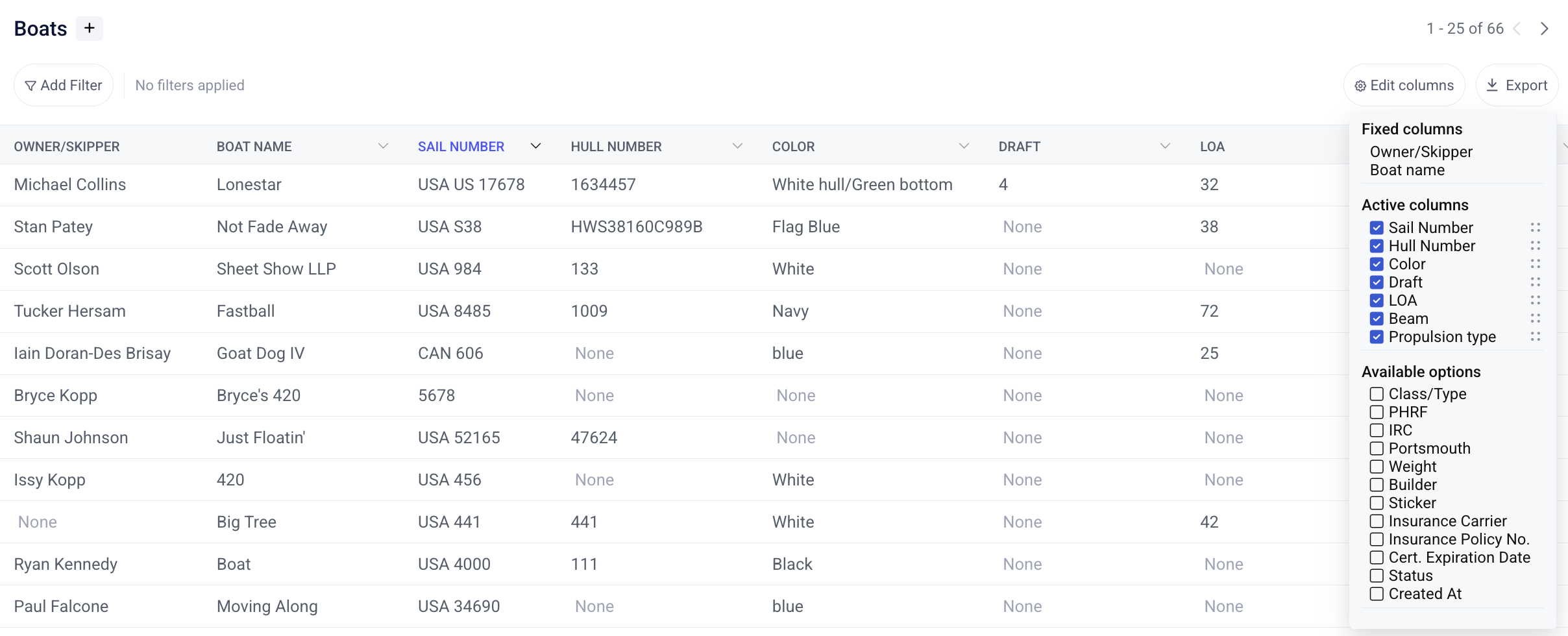
Click into each boat to see more information about it, including the owner, the documents, and any admin-only notes.
Boat Information
Use the Data collection page to define exactly which fields can be used and edited within your boat database. Toggle on a field to enable it. Then set the visibility to determine if members can see this field. You can also define if the member can edit the field, or if only admins can do so. This flexibility makes it possible for members to edit select details (like boat name) but not others (like LOA, which might be used by admins for billing purposes)
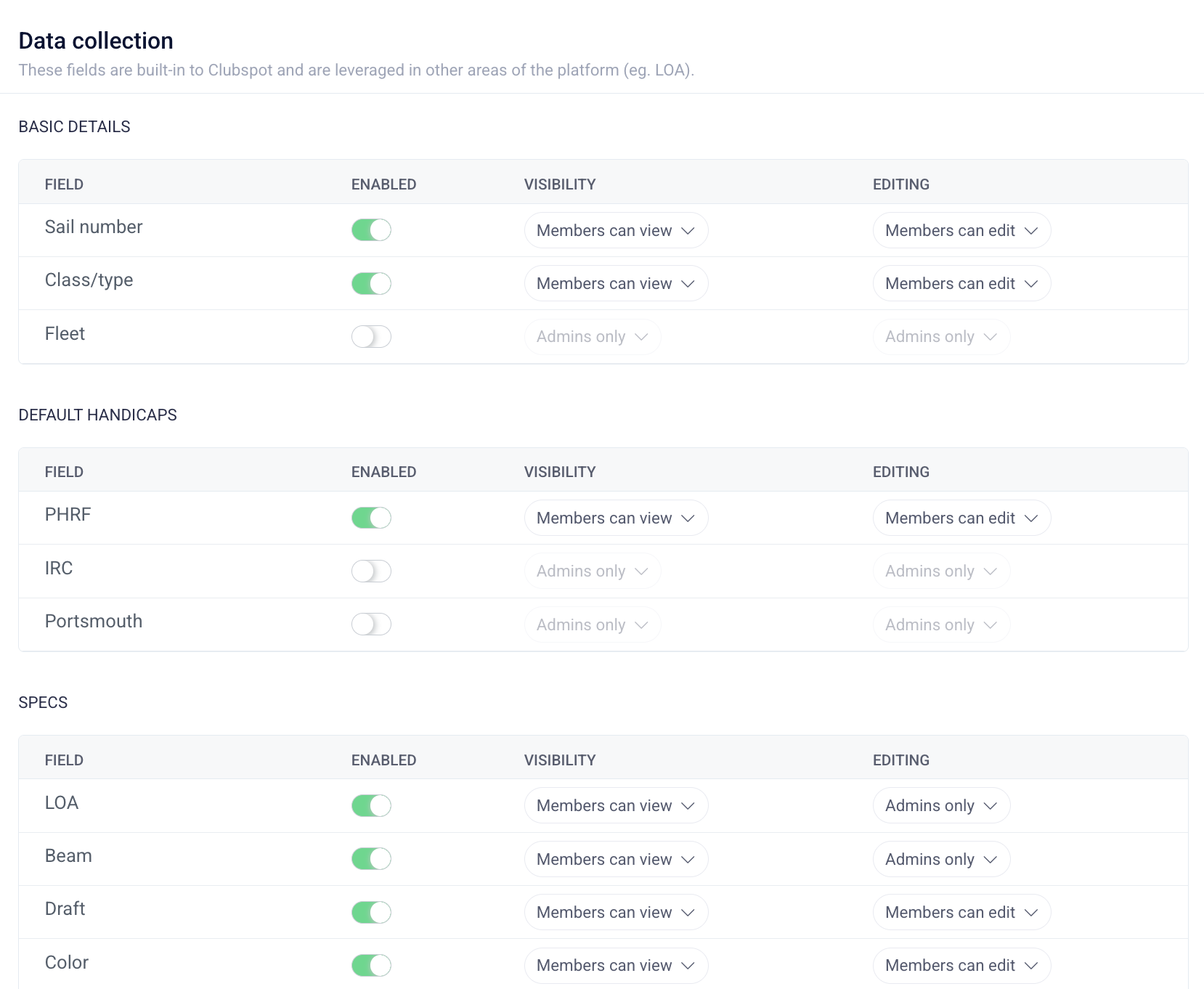
On the data collection page, you can also create custom data collection questions. If you need to track certain details that are not included in our pre-populated list, you can create your own.
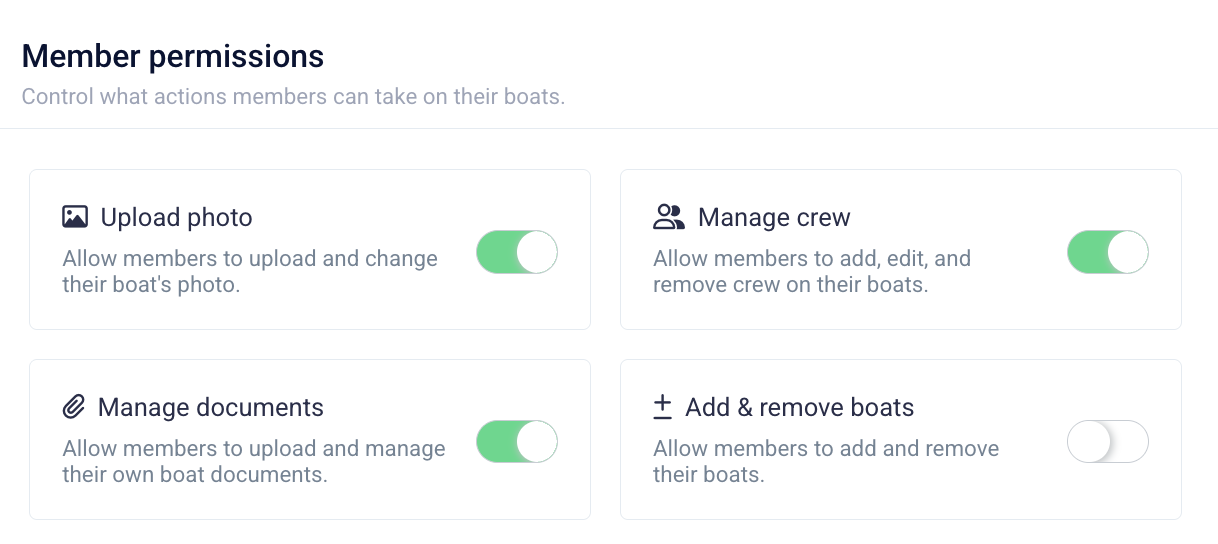
The member permission controls will allow you to restrict the general actions permissible by members in relation to their boats:
Documentation
Documents can be uploaded to a boat for tracking purposes. Registration and insurance documents are two common use cases. When uploading a document to the details for a boat, you have the option to set an expiry date. The boat table is filterable by document status, which makes it easy to identify which boats have registrations that are out of date.
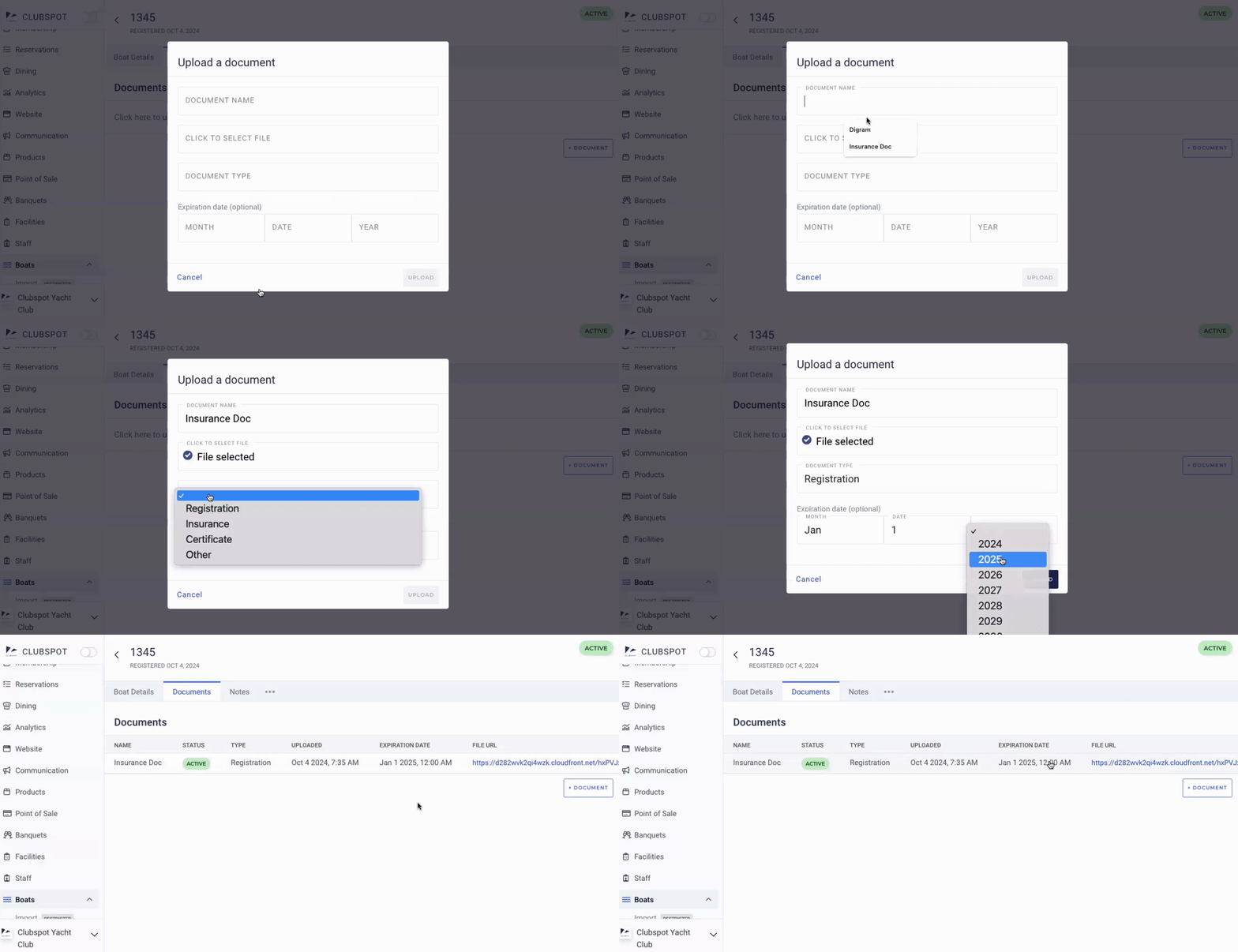
If you’d like to be made aware when a member uploads a boat document, you can configure a notification to alert a specific email address from the Account > Notification section of your dashboard.
Managing Boats from a Membership Profile
Boats can be edited from the Boat table OR from within a membership profile. To do so, find the Boats tab located on the top options bar, and click the button manage boats in the right-hand corner of the screen. To make changes to the boat’s information, click on the boat name and find the edit button located on the bottom right of the screen. This will allow you to edit all information pertaining to their boat, including sail number, hull number, owner, etc.
If you've allowed members to edit their own boat details, they'll follow the same steps to do so.