
Social Event Cancellations
Allow Social Event Cancellation
To allow for participants to cancel Social Event Registrations, go to respective Social Event > Settings > Basic Details > Cancellations
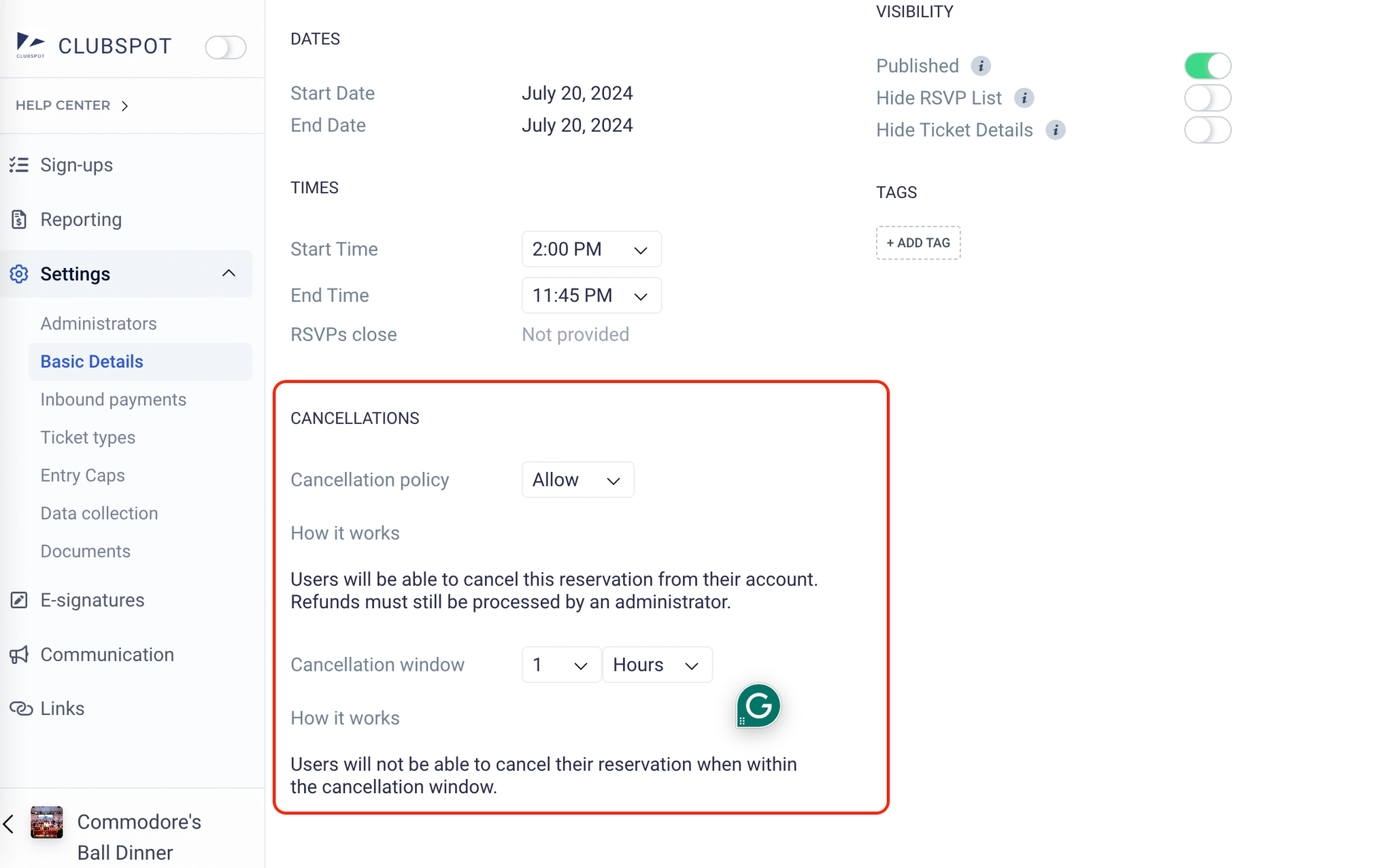
In the Cancellation section, you can set the Cancellation Policy and the Cancellation Window
Cancellation Policy: Users will be able to cancel this reservation from their account. Refunds must still be processed by an administrator.
If the cancellation policy is FORBID Users will not be able to cancel a reservation once made.
Cancellation Window: Users will not be able to cancel their reservation when within the cancellation window.
Participant Cancellation
Once a participant signs up, they can cancel the registration from their member portal.
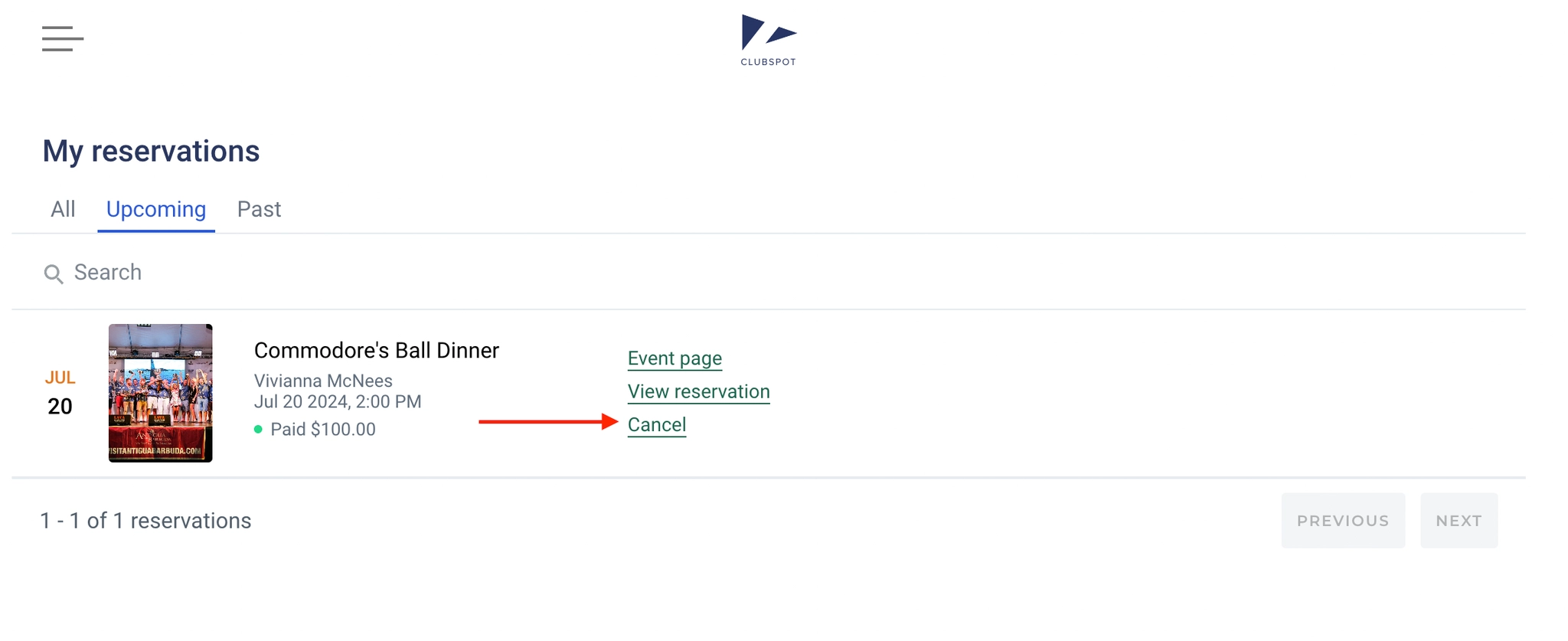
Participants can click CANCEL and then CONFIRM the cancellation. Once canceled, the event will be removed from their reservations list.
Admin-Cancellations
Not all ticket removals should be paired with an automatic refund. As a result, Clubspot allows you to do these two operations separately. To remove an individual ticket from a group, select the ‘x’ by the attendee's name. To cancel an entire group registration, click the three dots to confirm cancellation.
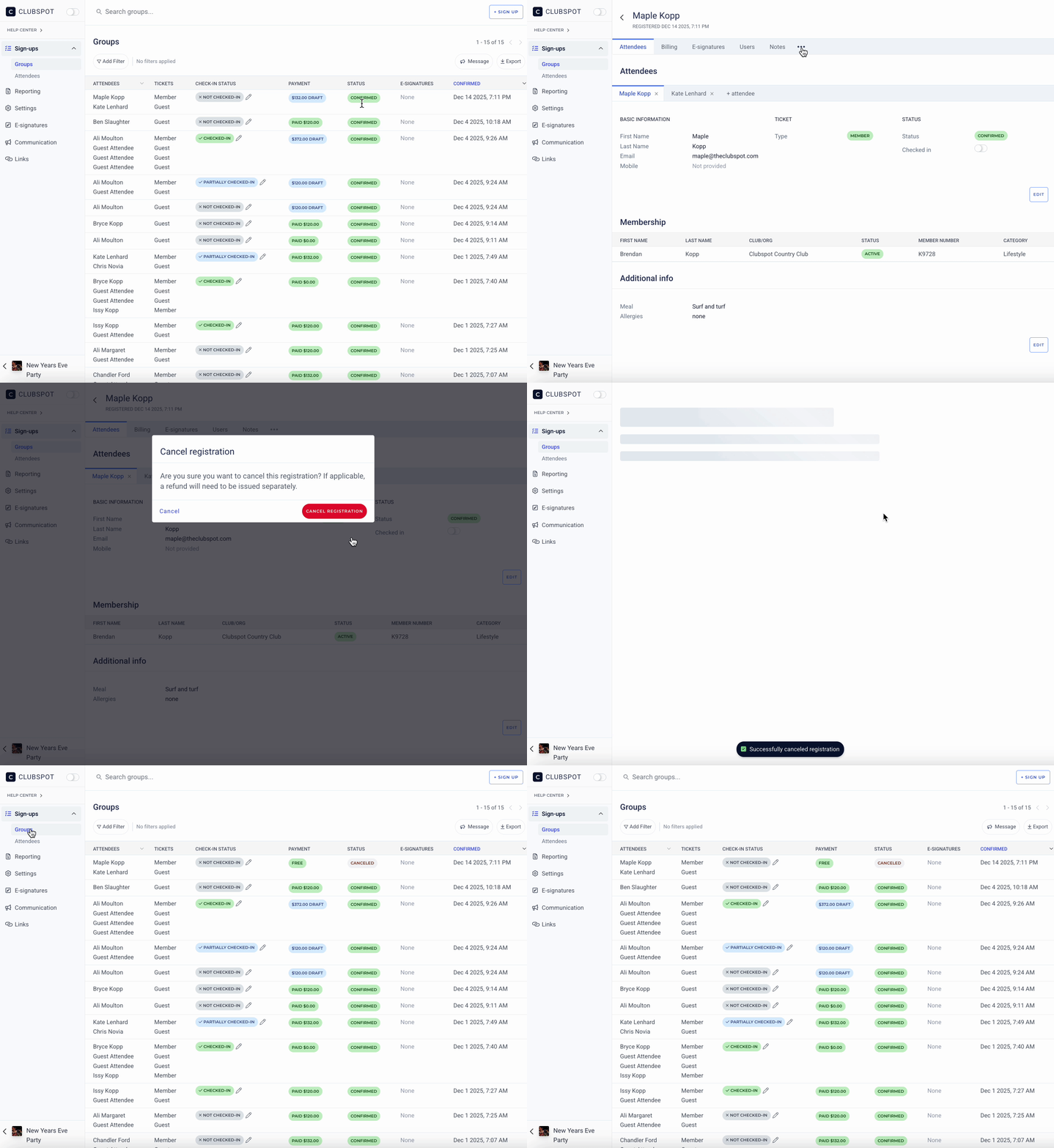
When tickets are reversed, they will be listed as canceled from the Groups section, and the number will also reduce the amounts in the Entry Caps section.
Note that since a ticket reversal is not a refund, it will not automatically reverse the payment, and the sale will remain in your reporting until it is refunded.