
Linking a Registration to an Account
Occasionally a participant who has signed up for an event cannot find a record of the sign-up in their account. As a club administrator, you can help them by issuing an invitation to link the registration with their user account, even after the registration has been processed.
Step 1: Navigate to the registration
You may want to search for the registration under Events > Sign-ups. This provides a club-wide search that helps you quickly pull up registrations matching the participant’s name across any number of events.
Step 2: Check the Users tab
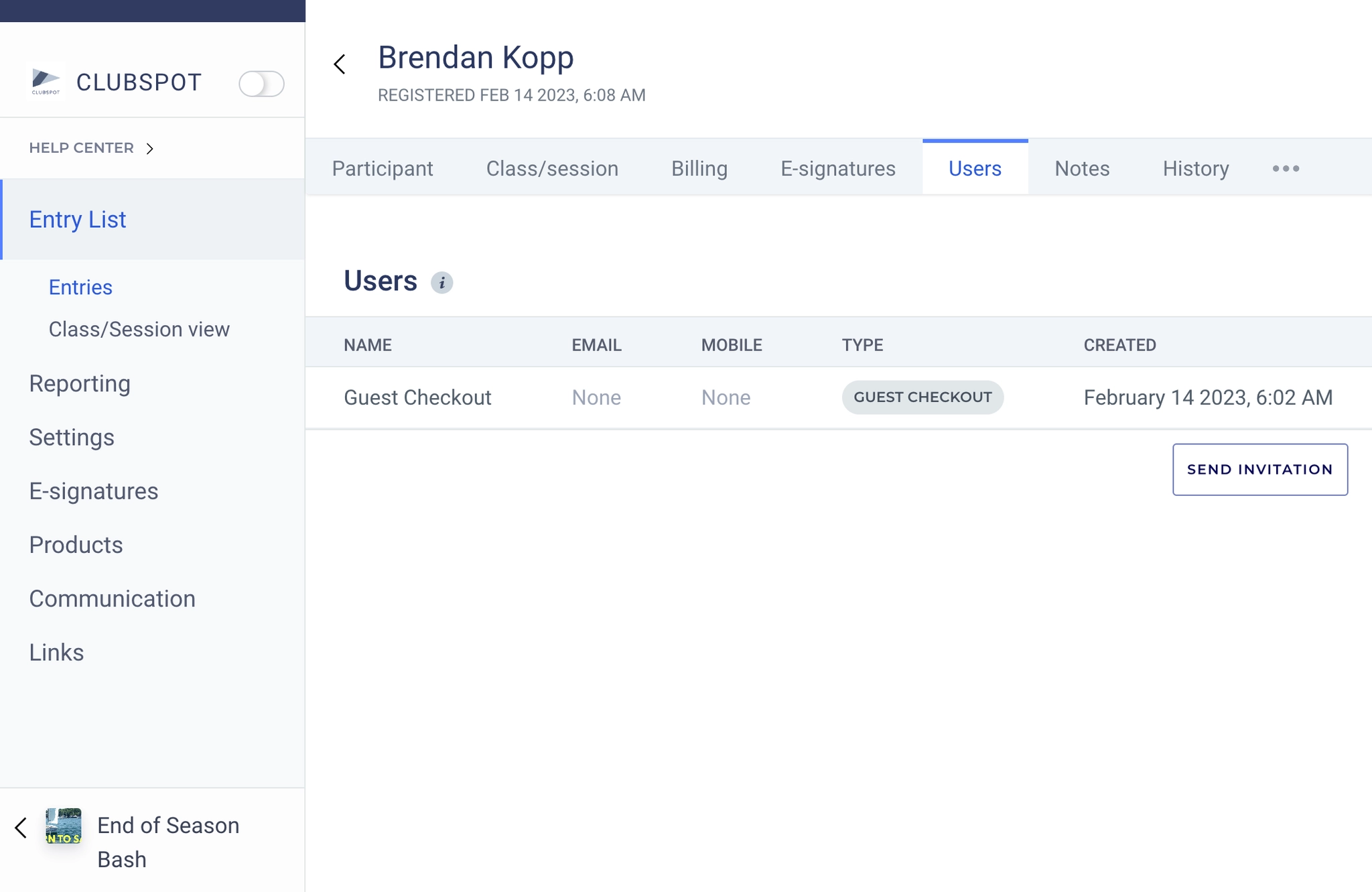
From the Registration Details view, click the Users tab. This tab shows you all of the user accounts that are linked with the registration. Often this is when you’ll see that the registration was initially processed via Guest Checkout, or using a different account than the participant expected.
From the Users tab, click the button to Send Invitation (on the bottom right).
Step 3: Send the invitation
Enter the email address (and optionally a mobile number) that you want to send the invitation to. Once the recipient clicks to accept the invitation, Clubspot will automatically tie the registration with their account.