Series
You can enable series scoring on any regatta. Once enabled, you can add any number of individual sub-events to the main regatta. Sub-events show up automatically on your club calendar when you use a Clubspot-powered website.
Enable Series Scoring
Step 1:
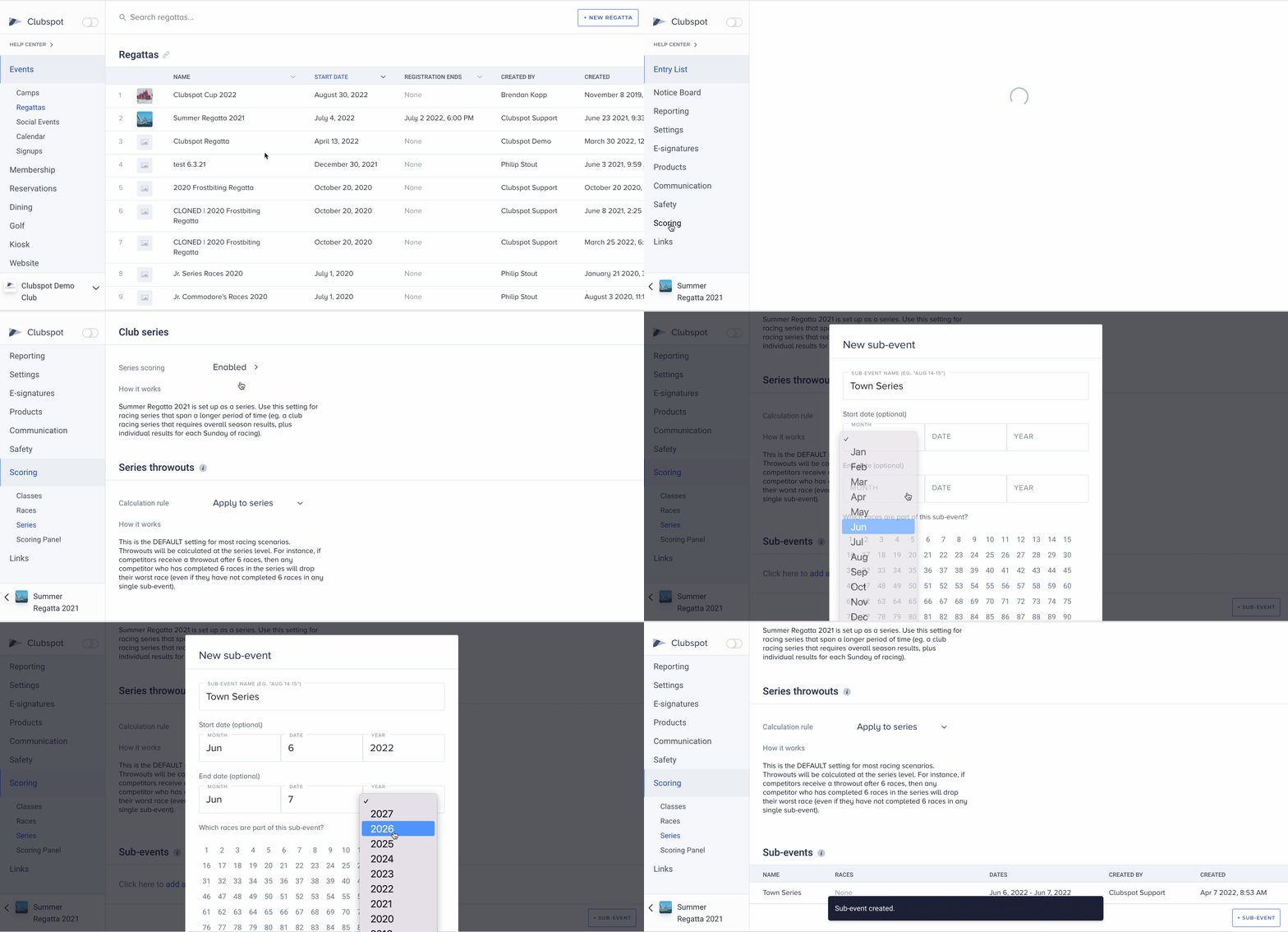
Navigate to the Events tab and click on Regattas. Then choose the specific Regatta that you want to repeat on the calendar display.
Step 2:
Find the Scoring tab on the left menu bar and click Series. Turn the toggle to enabled for Series Scoring.
Step 3:
You can now create sub-events for the series. Click “+ sub-event” at the bottom right corner and choose the specific dates for the sub-events. These sub-events are what show up on the club calendar, so be sure to add these ahead of time for members to view!
You will need to add both a Start Date and an End Date for each Sub-Event that you want to display on your club calendar. You do not need to add races yet, you can do that later!