
Facility Management
Facility management in Clubspot allows you to organize and manage your club’s physical spaces and availability. This article provides an overview of how to set up and maintain facilities such as lockers, boat slips, and storage spots.
Add a facility item
Navigate to your Clubspot Dashboard
On the Nav Panel, click Products to view all of your current products." Click the + button to create a new product.
Add the name of the Facility item. You can leave the price field blank if you don't have a single rate for this item, but be sure to select the type as Facility Item and the subtype that corresponds with the right tax/accounting rules for this item. Then click "DONE."
(Optional) Click to upload a photo of the facility in question
Next, click the "Options" tab at the top of the screen to add the individual options for this facility. Click "+" and type in the name of the facility option and the default price. Lock these selections in by selecting "DONE". Continue this for as many product options as you have for this product.
Click on "Facilities" and "Facility Products" to see a list of all the facility products at your club, which will now show the new product you've created.
FYI: Clubspot Support can help assign Facility Products to Members through an import if you have a large volume of items and options to create.
Link Facility Products to Boats
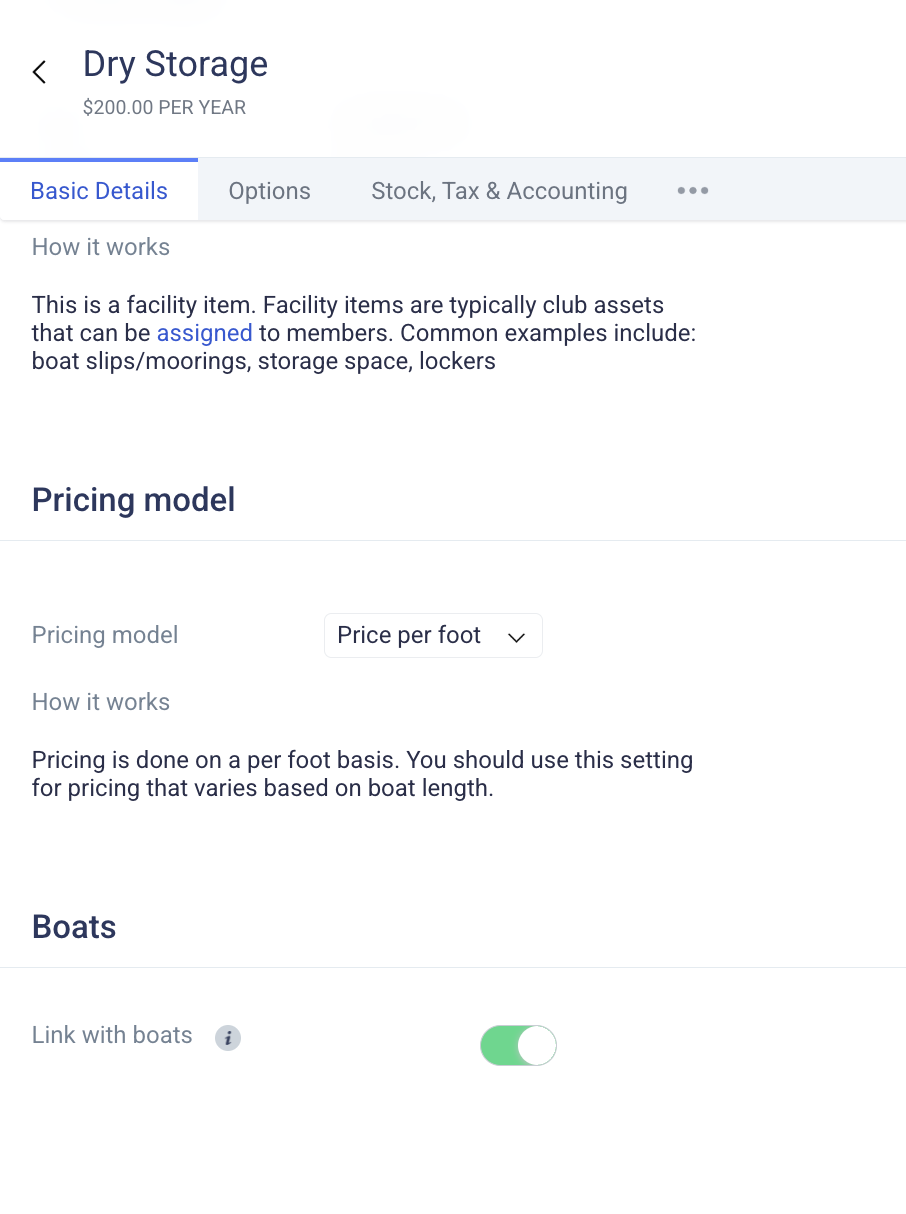
To allow the facility product to be linked to boats, you toggle this on in the settings of the product.
Flat Rate: Pricing is a flat rate, regardless of boat length.
Price per foot: Pricing is done on a per-foot basis, so the fee varies based on boat length.
Managing Facility Items
Our filter feature allows you to narrow down to a specific product and option. You can also filter by the assignment status. The filter and search functions make it very easy to find available spaces and quickly make assignments.
To make an assignment, click on an available space > + new assignment > search for a member > and either inherit the default (annual) price or set a custom rate. These rates will be billed on the same cadence as member dues. If your facility billing occurs on a different cadence from dues, please set this amount to $0.00 and use a membership add-on to bill for the facility product. Clubspot support is happy to help with this setup!
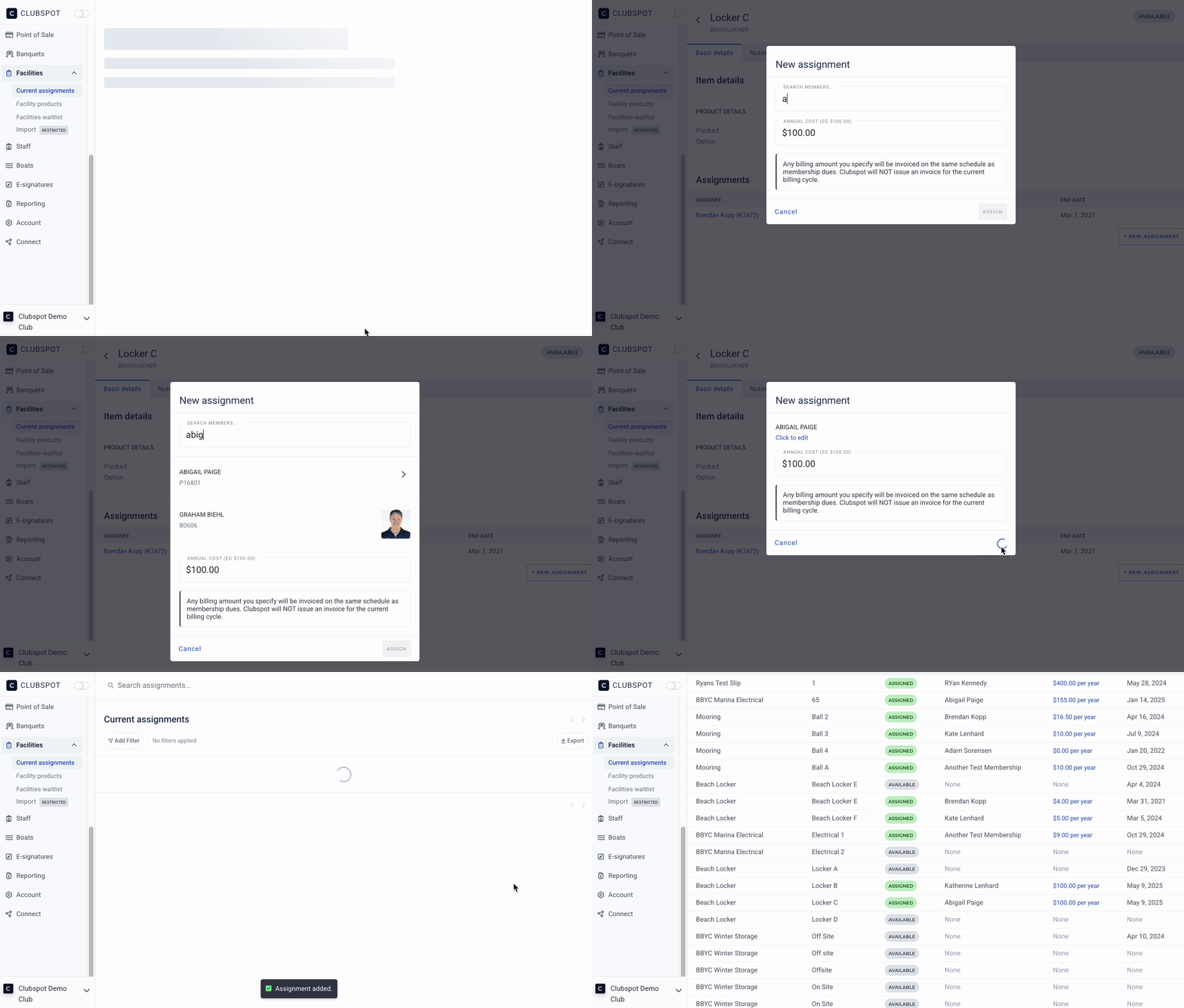
The blue hyperlinked revenue represents the dollar amount charged (at the same time as dues) for each option. You can click that price to change it for one assignment or for all assignments with the same price. More info HERE.