
Help members log in
Follow this guide to help club members access their accounts on your club website.
Step 1
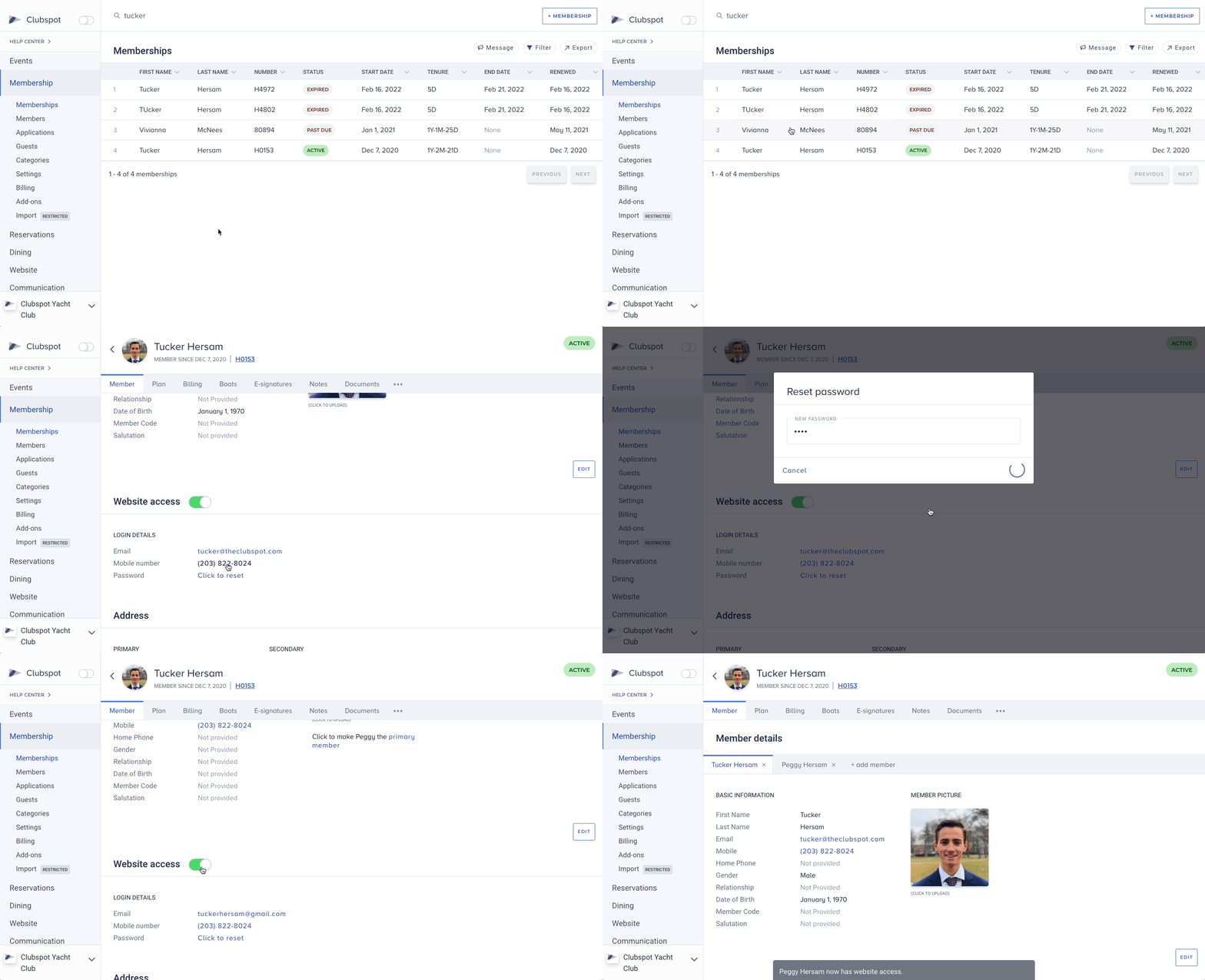
Find and click on the member by searching in the Membership > Members table.
Step 2
Members always use their email and/or mobile number to log in. Each individual member on a membership can have website access enabled or disabled. Check the Website Access switch for the member who wants to log in, and make sure it is turned ON.
Troubleshooting
Make sure the member is trying to log in with the same email and/or mobile number that you see in the admin view.
If the member is unable to receive a one-time verification code (to verify their ownership of the account), you can reset their password by clicking “Click to reset.” You can then enter and share a temporary password with the member so they can log in.