Buddy Groups
Buddy Groups make it faster for members to book tee times or court time with the people they play with most often. Instead of manually adding players each time, members can save a group and quickly fill a reservation in just a few clicks.
Creating a Buddy Group
Members can create Buddy Groups in two ways:
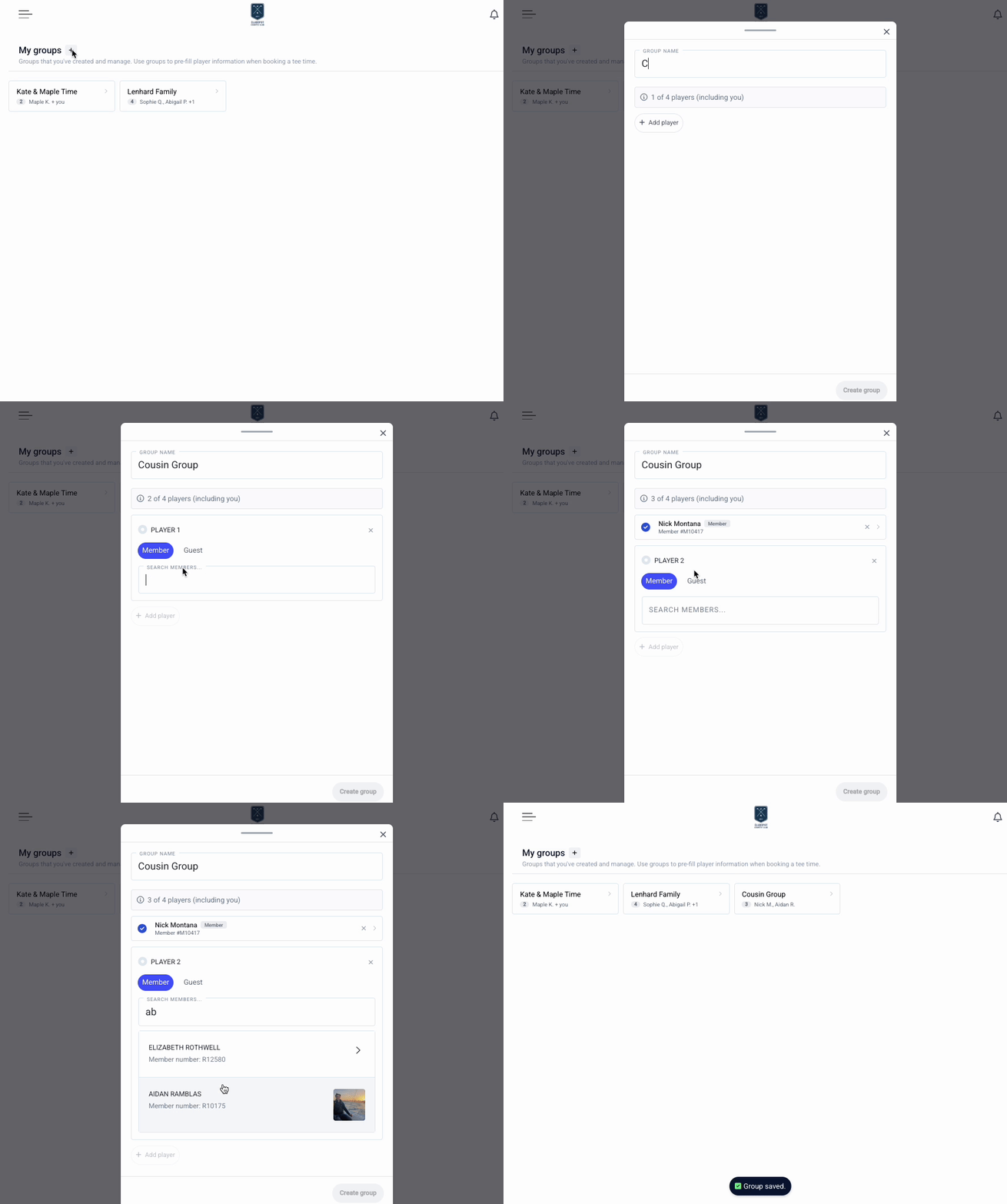
From the Member Portal. Navigate to the Buddy Group page from the left menu, then use the + button to establish a new group. From here, a member can click to add or remove players.
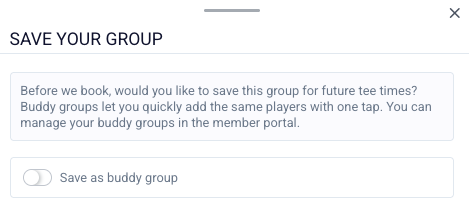
While Booking a Time. Begin booking a tee or court time and add players as usual. The reserving member will be prompted to save the selection as a new Buddy Group to reuse it in the future.
Using a Buddy Group
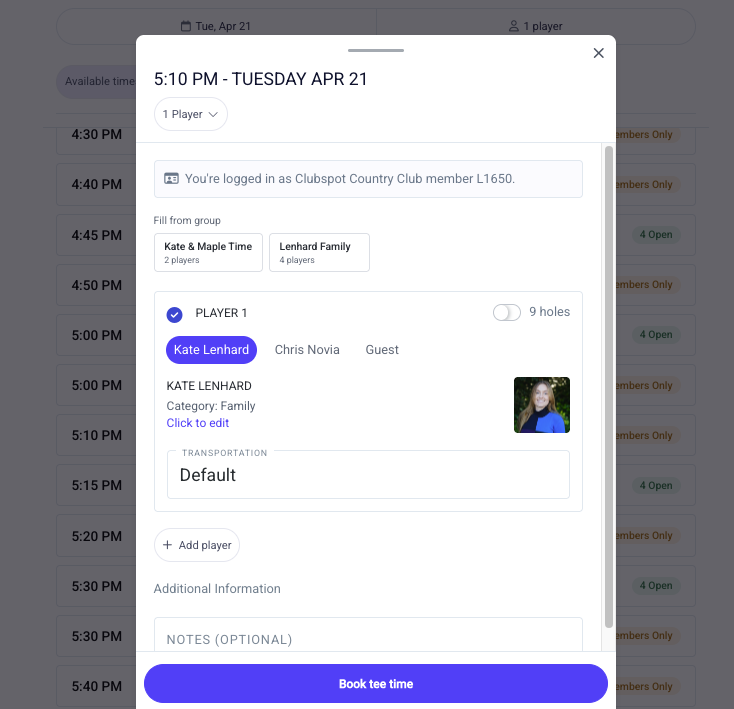
When booking a new reservation, members can select one of their saved Buddy Groups at the top of the booking tool to automatically fill player spots. This helps streamline the booking process, especially for regular groups.
Managing Buddy Groups
Members can view and manage the groups they host from within their member portal on the Buddy Groups page. Members who are included in a group but are not the host can see the group in their portal, but cannot edit the group or use it to fill a tee time.
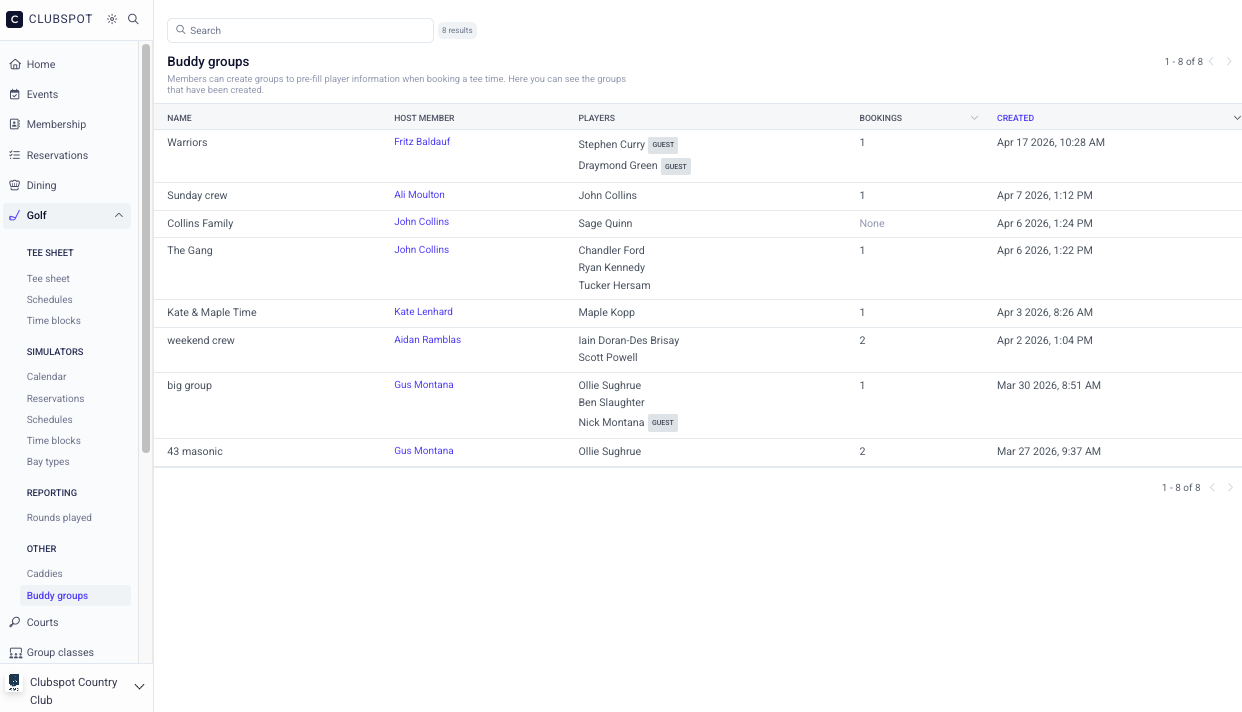
Admins can view all Buddy Groups in the admin dashboard under Membership > Settings > Buddy Groups: