
Contact Lists
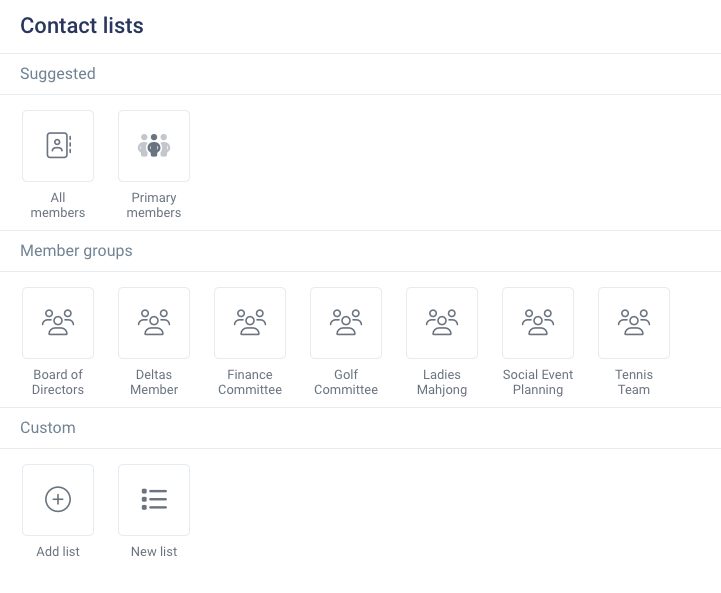
Contact Lists are a powerful tool for admins to effortlessly create, save, and send messages to custom recipient lists. Contact lists can be found in the Communications section and can be accessed by all administrators with the Communications permissions. There are 3 types of contact lists for use when sending messages.
Suggested Lists
Our Suggested Lists are the backbone of efficient communication on Clubspot. These lists are pre-generated based on the most commonly used contacts by clubs. You’ll find lists such as All Members and All Primary Members, which include every active member who hasn’t expired.
Member Groups
Member Groups provide you with a dynamic way to manage your contacts! These groups contain the contacts of all members tagged to them in the Membership > Member Groups section. Member groups can be created by administrators and can optionally be set to allow members to directly opt in. For detailed instructions on how to create and manage your member groups, check out our comprehensive guide to creating member groups.
Custom Lists
With Custom Lists, you can craft fully personalized lists that include both members and non-members. Here’s how it works:
To add members, simply toggle the Members switch on and filter to your desired contacts.
For non-members, click the Add Contact button and enter their information. Clubspot’s system will recognize any previously added emails to prevent duplicate entries, keeping your email lists clean and organized.
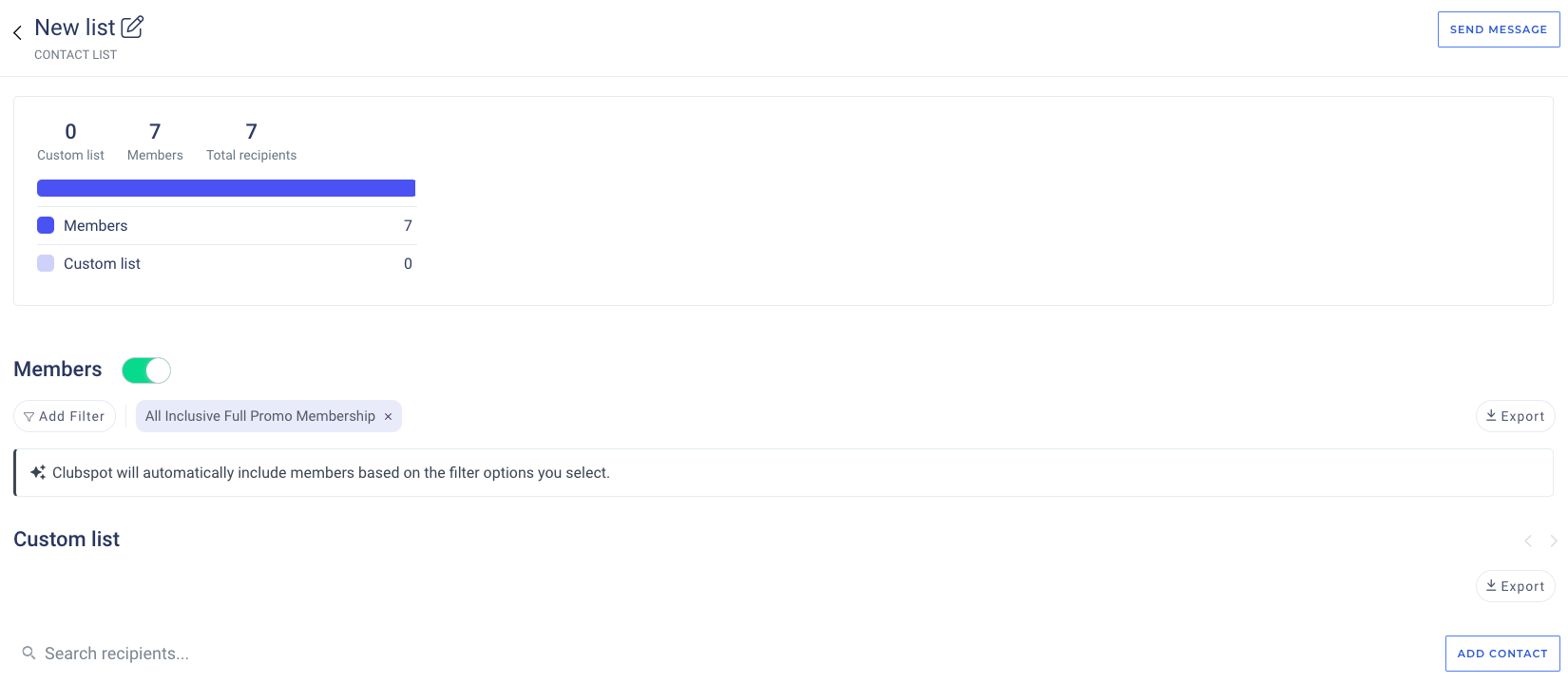
When combining multiple filters, all operators are AND operators. This means that if you filter down to a category of Social Members and a status of Past Due, the list will only include members that are both Social Members AND currently Past Due.
Importing Custom Lists
To import custom lists from a .csv file, use this exact template to format your spreadsheet:
firstName | lastName | mobile | |
Please keep header rows exactly the same - if a column is not used, leave it blank. Reach out to support@theclubspot.com if you have any questions!