
Adding a Payment Method
Connect a bank account or credit/debit card for easy payment.
Add a Credit Card (Automatic, Instant)
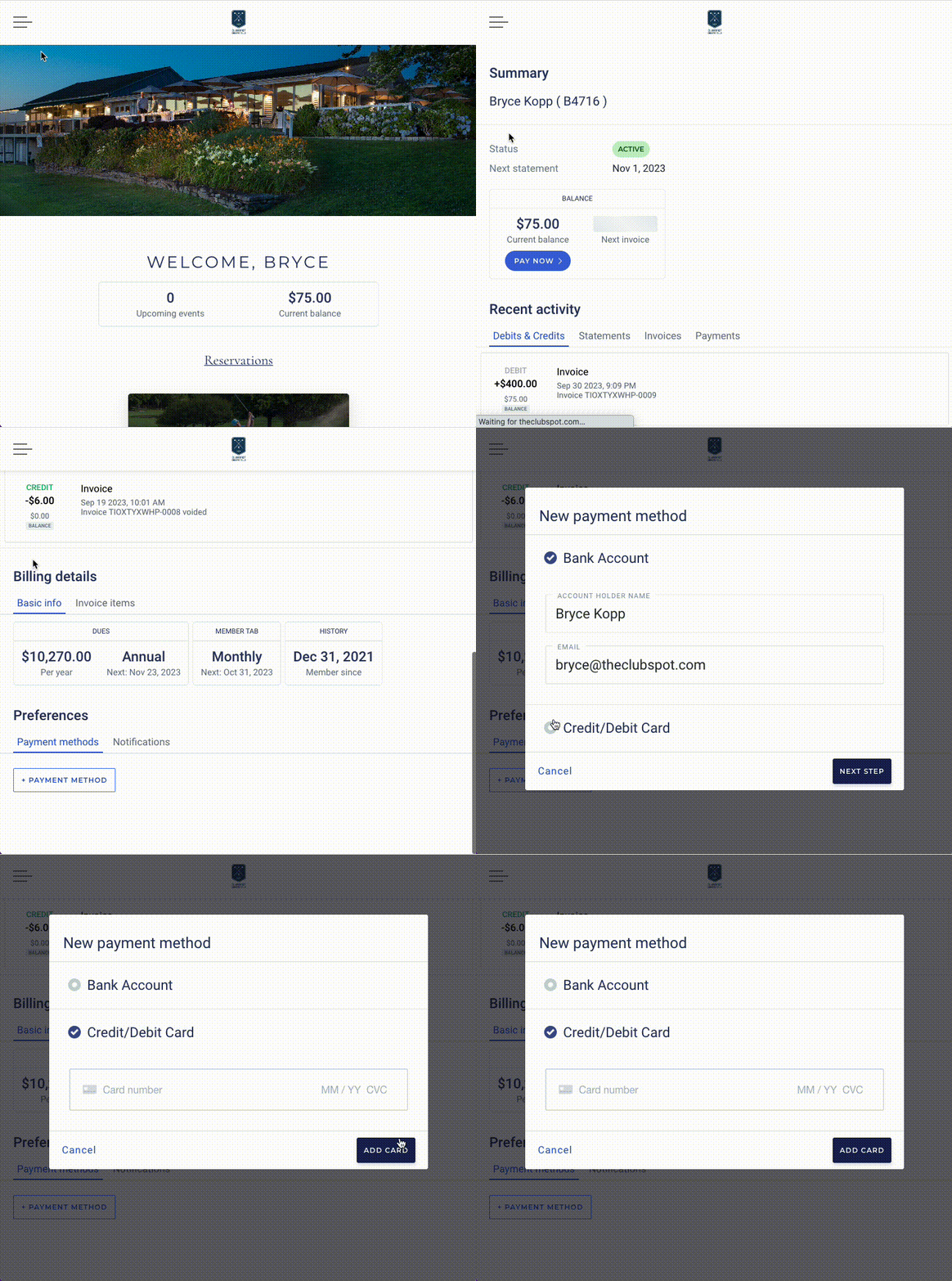
Navigate to your club’s website and log in with your member credentials.
Find the Billing tab and then scroll to the bottom and click on “+ payment method.”
Choose Credit/Debit Card and then type in your card number, CVC, and expiration date.
Click Add Card.
Add a Bank Account (Automatic, Instant)
There are two ways to add a bank account in Clubspot - the Instant method (outlined here), or the “micro-deposits” method (outlined later in this article).
Navigate to your Member Account from your Club’s website
Click on Billing and scroll to the bottom and find “+ payment method”
Add your Account Holder Name, email, then click “next step”
Choose Bank Account, then click continue and agree.
Search and select your banking institution from the list presented.
Click “continue” to open a secure window which will allow you to sign into your online banking portal and select which account to link.
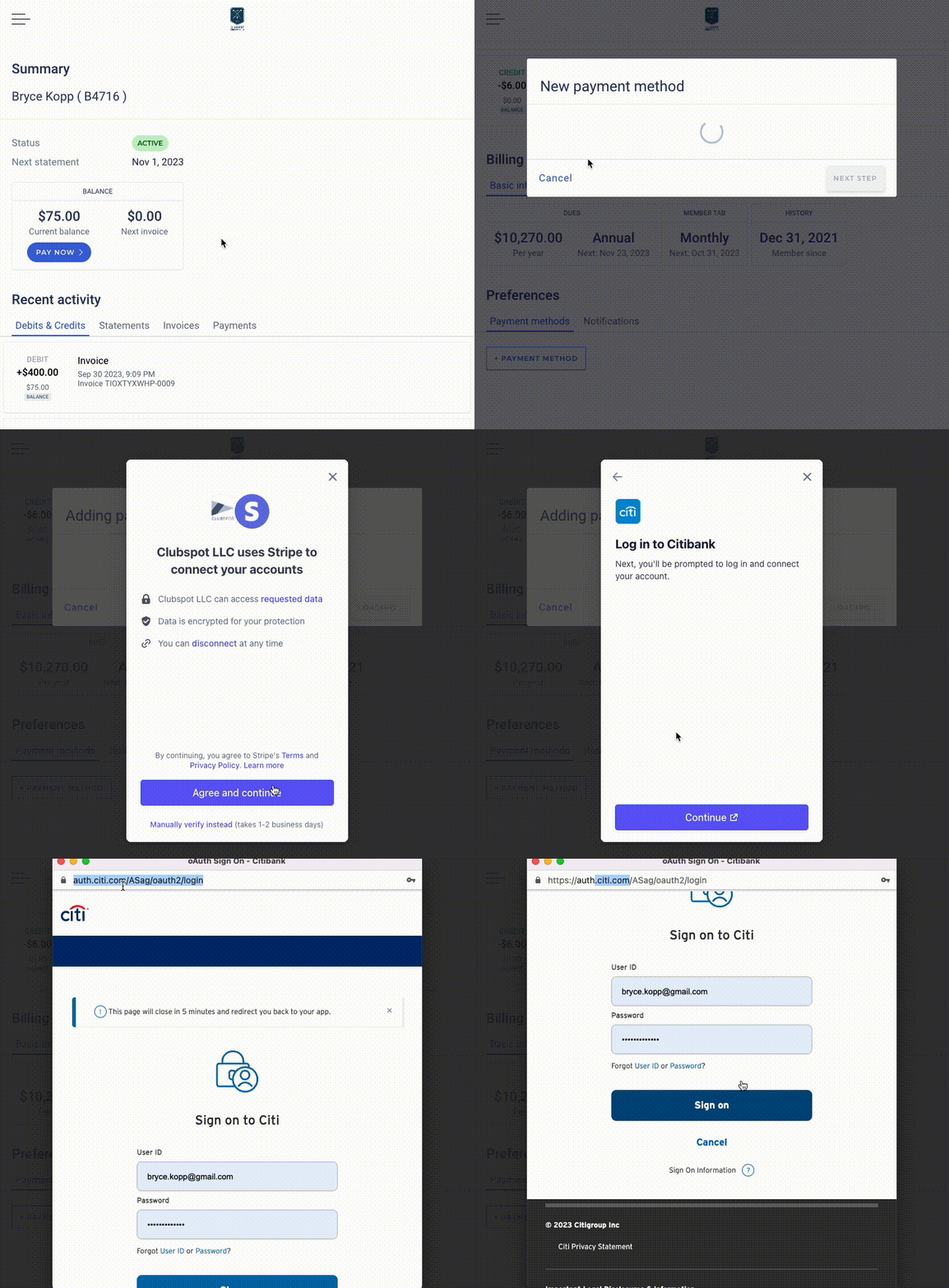
Instant verification ensures that neither your club, nor Clubspot ever have access to your bank account or routing information. Verification of banking passwords takes place directly with your bank only. This information is not shared. It is a good practice to ensure the url is that of your bank prior to entering your credentials. See the below video where the banking credentials are only requested on your banking website, and not by any other party.
Add a Bank Account (Manual, 1-2 days)
If your bank does not support instant verification (or if you are having issues with the automatic linking), you can manually link your bank account by utilizing a “micro-depositing” flow.
Part 1: Initiate a Micro-Deposit
Navigate to your member account from your club’s website.
Click on Billing then scroll to the bottom and choose “+payment method”
Add your Account Holder Name, email, then click “next step”
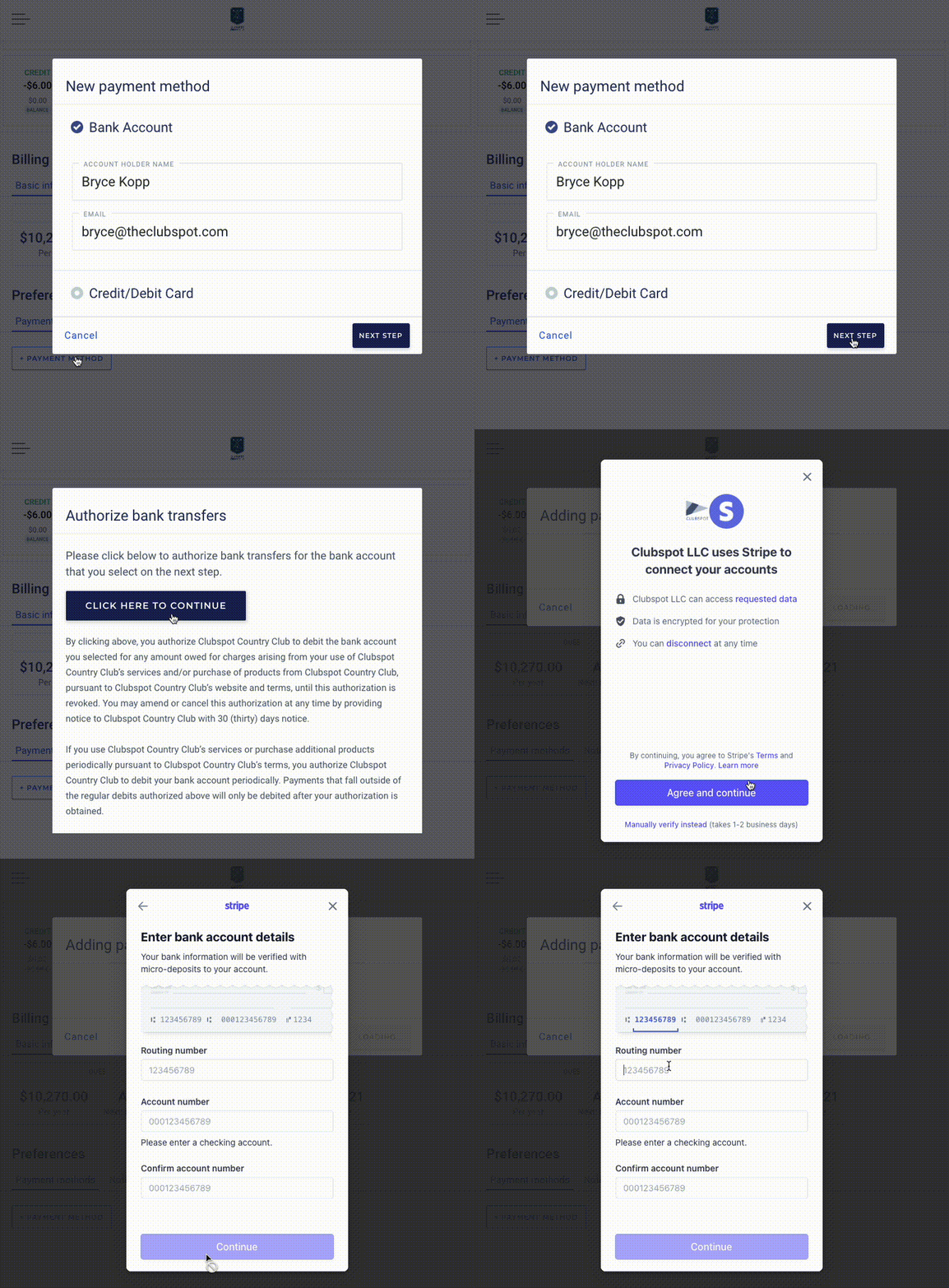
Click continue, then choose “manually verify instead”
Enter in your bank routing number and account number then click continue.
You’ve now initiated your micro-deposit verification! Click done on this screen.
Part 2: Activate Account
As stated on this screen, you will receive an email in the next 1-2 business days which will ask you to enter statement description of micro-deposit that lands in your bank account. That code will looks similar to the following:

When the deposit is received and you have identified the descriptor like the above, click verify on the payment method you had begun adding and enter that 6 digit descriptor: SM[XXXX]
Micro-deposit verification ensures that neither your club, nor Clubspot ever have access to your bank account or routing information. It also helps to reduce fraud by verifying that you are in fact the owner of the bank account entered.
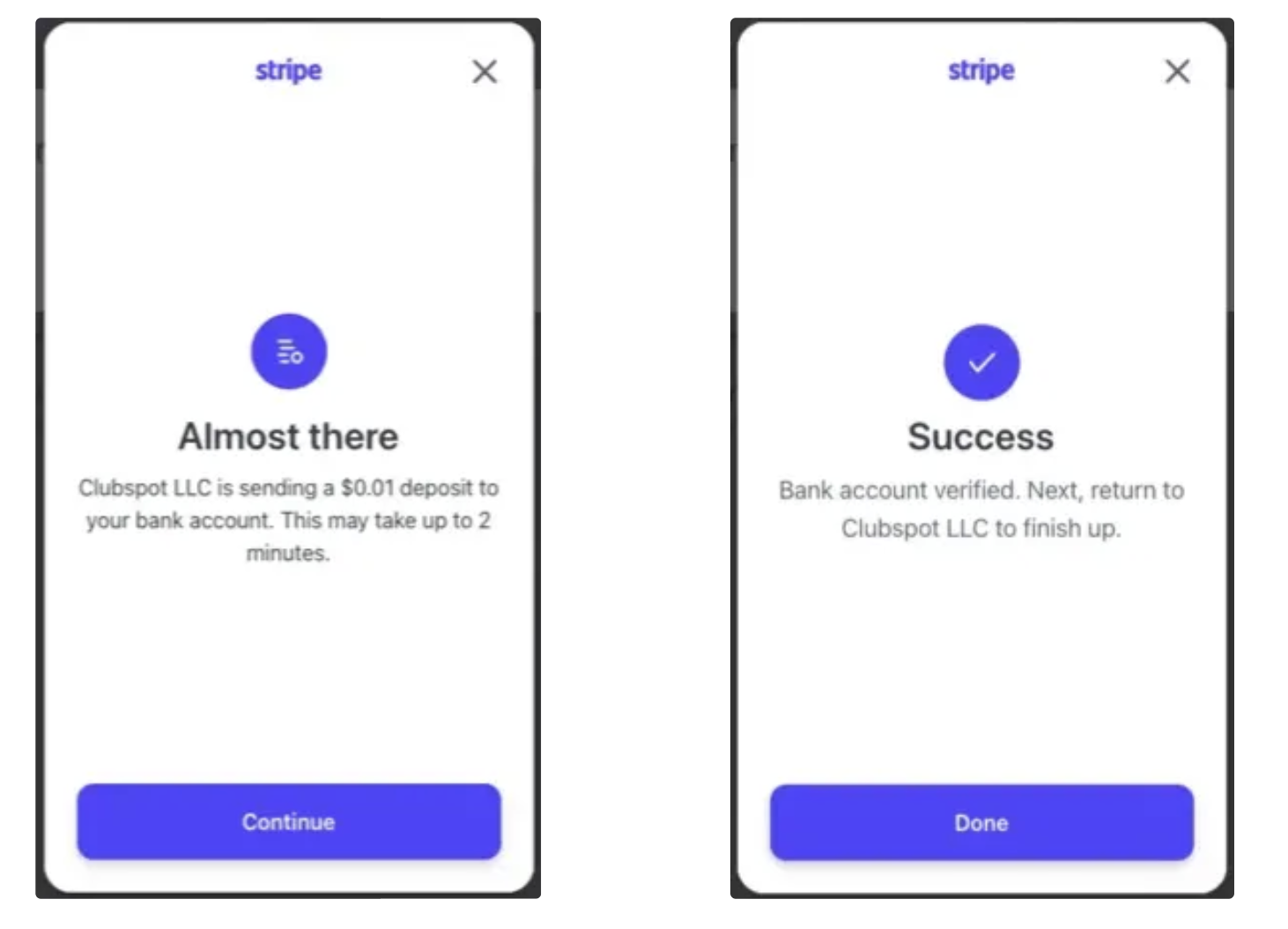
FYI: Recently, Stripe has begun introducing the option to instantly verify certain banks. You may notice an alternate screen that looks like this, allowing you to confirm ownership within minutes instead of waiting the 1-2 days typically associated with the micro-deposit flow.
Nickname a payment method
Click on any existing payment method saved in your member portal to assign it a nickname! This will add clarity when choosing between multiple payment methods when checking out online.