
Group Class Setup
How to set up Group Classes
Group class setup requires three elements: a class schedule, a product to bill for the class fee, and an instructor.
1) Create an Instructor
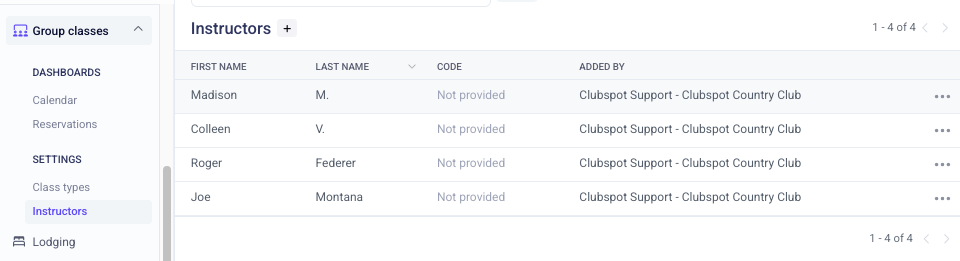
Instructors are classified as a special type of "staff member" in your Clubspot account. Head to Group Class > Instructors > and add a profile for the coach/instructor so they can lead group classes.
2) Create a product
When someone signs up for class, you'll 'sell' a product that represents that class. Set up a product to correspond with the class and program it for the right price and the right GL for revenue (even if that class is free and costs $0.00!)
3) Create Class Type
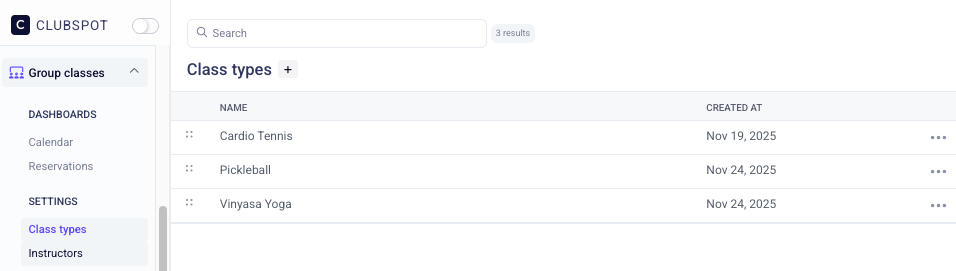
Navigate to Group Classes > Class Types > and create a unique class type for every variety of class. You can think about it as "if the programming has its own description, it should be its own class type."
Build a schedule
Once all three elements are set up, you can put them together in a class schedule. Here you'll be setting up the parameters for when the class is offered. It's possible to have more than one schedule for each class type, which allows for flexibility on different times of day or days of the week.
You'll be prompted to define the duration, frequency, and capacity for the class:
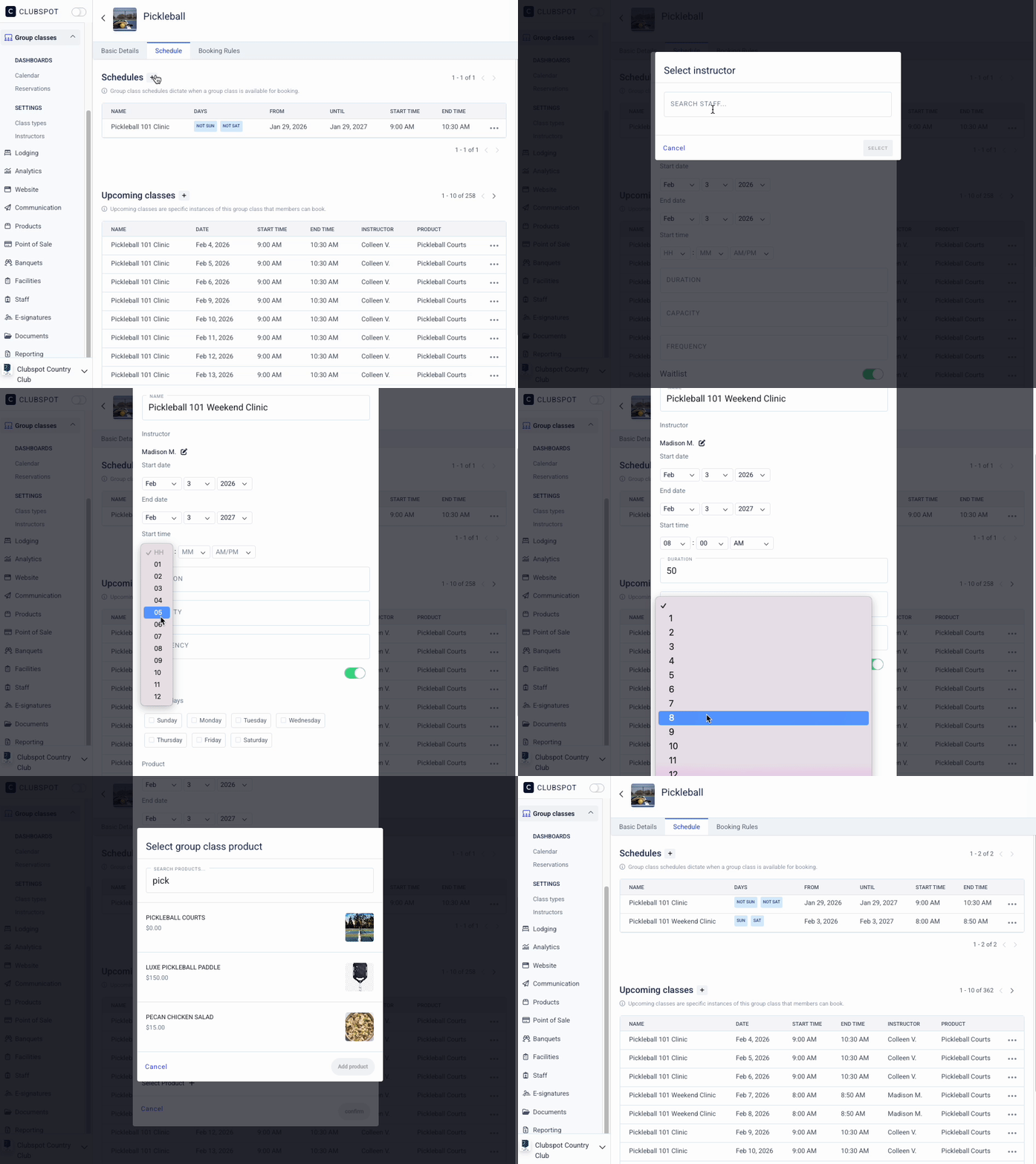
In the event that a single instance of a class has an alternate instructor, or more than one instructor will be teaching the class, click on the upcoming class to make the adjustment.