Automatic Gratuity & Service Charge
Automatic gratuity, often referred to as a service charge, allows clubs to automatically add a predetermined percentage of tip to an order.
Automatic Gratuity vs. Event and Banquet Gratuity
Clubspot supports multiple gratuity workflows that serve different purposes, each with a different behavior and setup.
Automatic Gratuity
Automatic gratuity is applied at the POS and is designed for everyday dining operations. Rules may be based on party size, member settings, or product eligibility.
By default, this type of automatic tip is referred to as "automatic gratuity." If your club would prefer to use alternative language, please reach out to support@theclubspot.com. We can re-label this to 'service charge' or any alternative term.
Social Event Service Charge
A service charge can be applied to a social event to collect a percentage-based tip for event registrations. The service charge percentage will be a uniform rate for all club social events, but can be turned on and off on an event-by-event basis. To enable it, toggle on the "include service charge" on the basic details page of your event. If your club does not have that toggle, reach out to Clubspot support to enable it
Banquet Gratuity
Banquet gratuity is configured within each BEO. It is designed for private events, weddings, banquets, and catered functions where service charges are typically included as part of the event contract. If you'd like to establish a default banquet gratuity percentage for club events, reach out to Clubspot support to establish it.
POS Gratuity Configuration
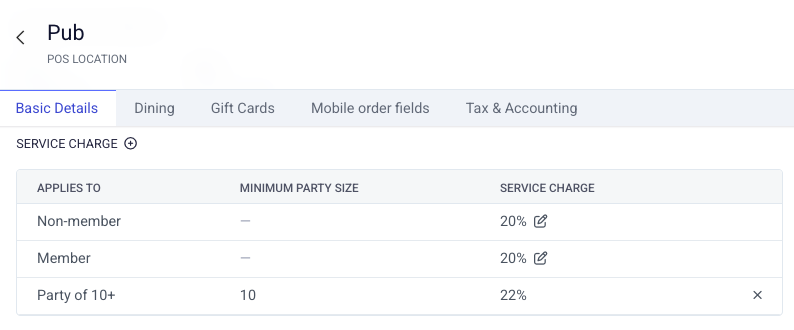
Visit your point of sale location dashboard and edit the gratuity/service charge table. Unique rates can be set for members, guests, or parties of a certain size.
Exemptions
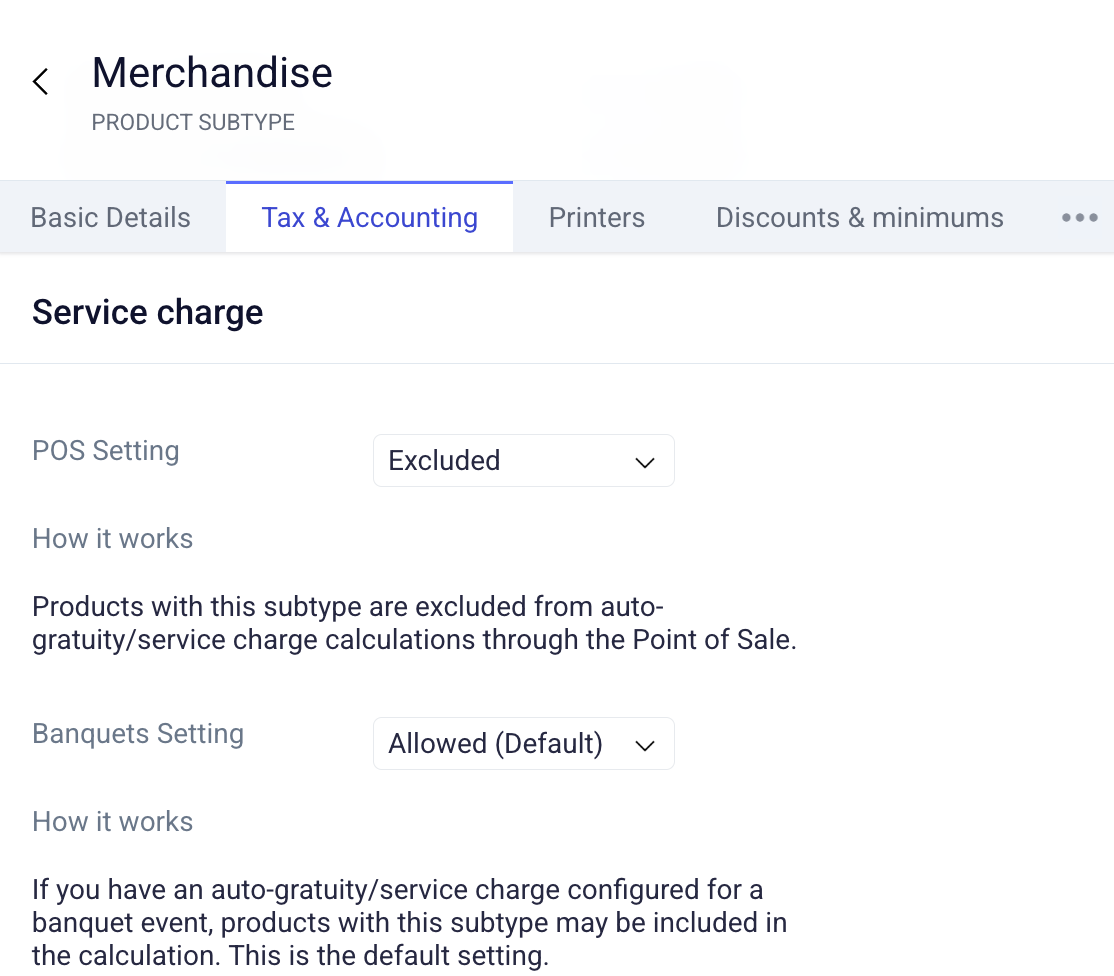
Not all products should be subject to automatic gratuity. Individual products and product subtypes can be configured to be exempt from gratuity calculations. When a product or subtype is marked as exempt, the automatic gratuity calculation will exclude those items from the gratuity base amount. Visit the tax and accounting tab to be exempt from POS or Banquet gratuity:
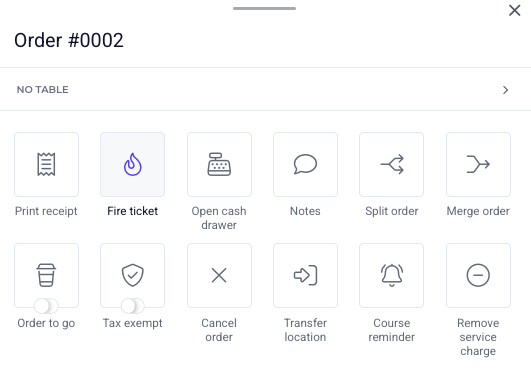
Gratuity is automatically calculated on the POS for every order that is opened under a location that has been configured with an auto-gratuity rate. But occasionally it may be necessary to remove automatic gratuity from a POS order. If so, open the action menu from the POS and select the remove service charge tile:
Membership-Specific Gratuity Rates
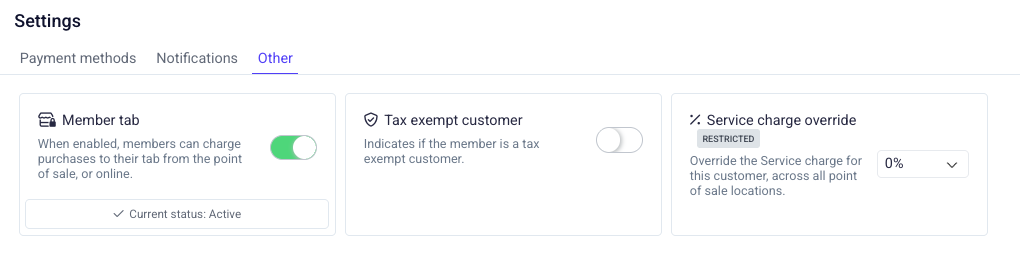
Individual memberships can have a specific service charge rate applied to their account from their billing page. This service charge override will take precedence over the service charge rules set at a POS location when the customer is selected. This is commonly used for employee memberships, who are not expected to pay a service charge.