
Member balance payments via POS
You can use the point of sale system to process in-person card transactions and apply those payments to any member’s account. This workflow is designed to support a member who walks up to the front desk and asks to make a payment towards his or her account.
Step 1: Navigate to your club’s POS system in the dashboard and click Launch Point of Sale.
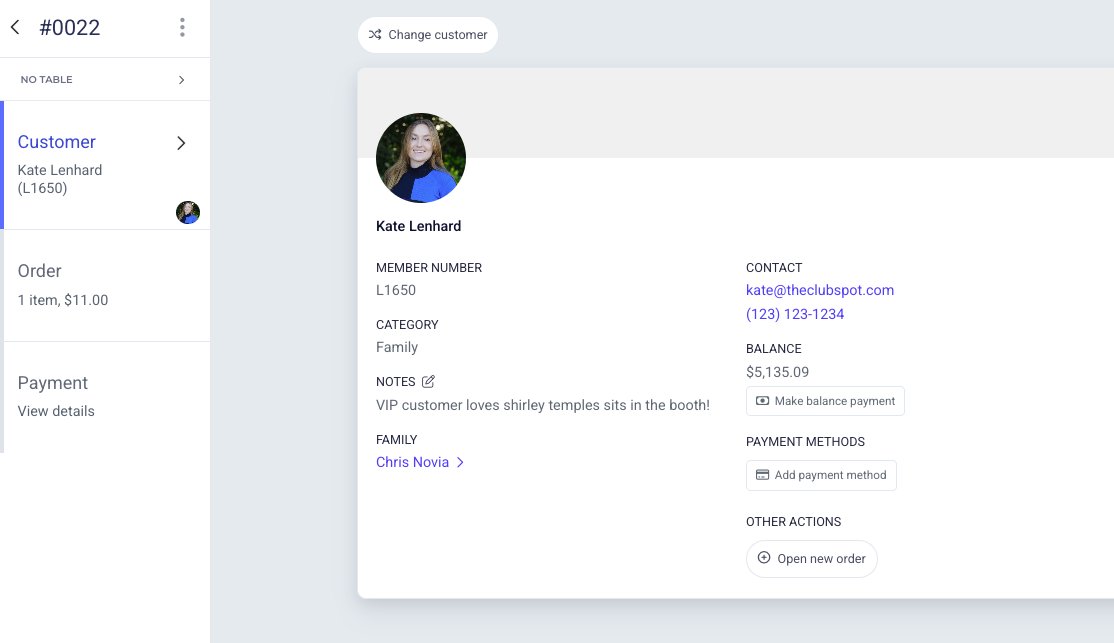
Step 2: Create a new order, and set the member who would like to make a payment as the customer.
Click on the customer's name and you'll see a profile card presenting their personal details. Select the 'make a payment' button.
Step 3: Indicate the amount they'd like to pay to launch the payment flow. The Point of Sale will prompt you to connect to a card reader, and tap or swipe the card to complete the payment (or manually enter the payment details).