
Open a Tab
You can add a card on file for any order, directly from the point of sale.
Please note that the “card on file” workflow is distinct from Separate Auth & Capture. When you add a card on file, you are storing card details to charge at a later time. In contrast, with Separate Auth & Capture, the card details are not stored, and the short-lived authorization must be promptly captured before it expires (within 48 hours).
How to add a card on file
Step 1: Create a draft order from the Point of Sale application.
Step 2: Enter customer details for the order (the customer can be a member, or a non-member).
Step 3: From the Payment tab, select one of the following payment methods:
Card Reader
Manual Card Entry
You will see a new button pop up on the bottom below “Payment Methods on File” to ”Add Card to Order”. Click that button to add a card on file for this order. Once added, you can hand the card back to the guest or member and charge the card later.
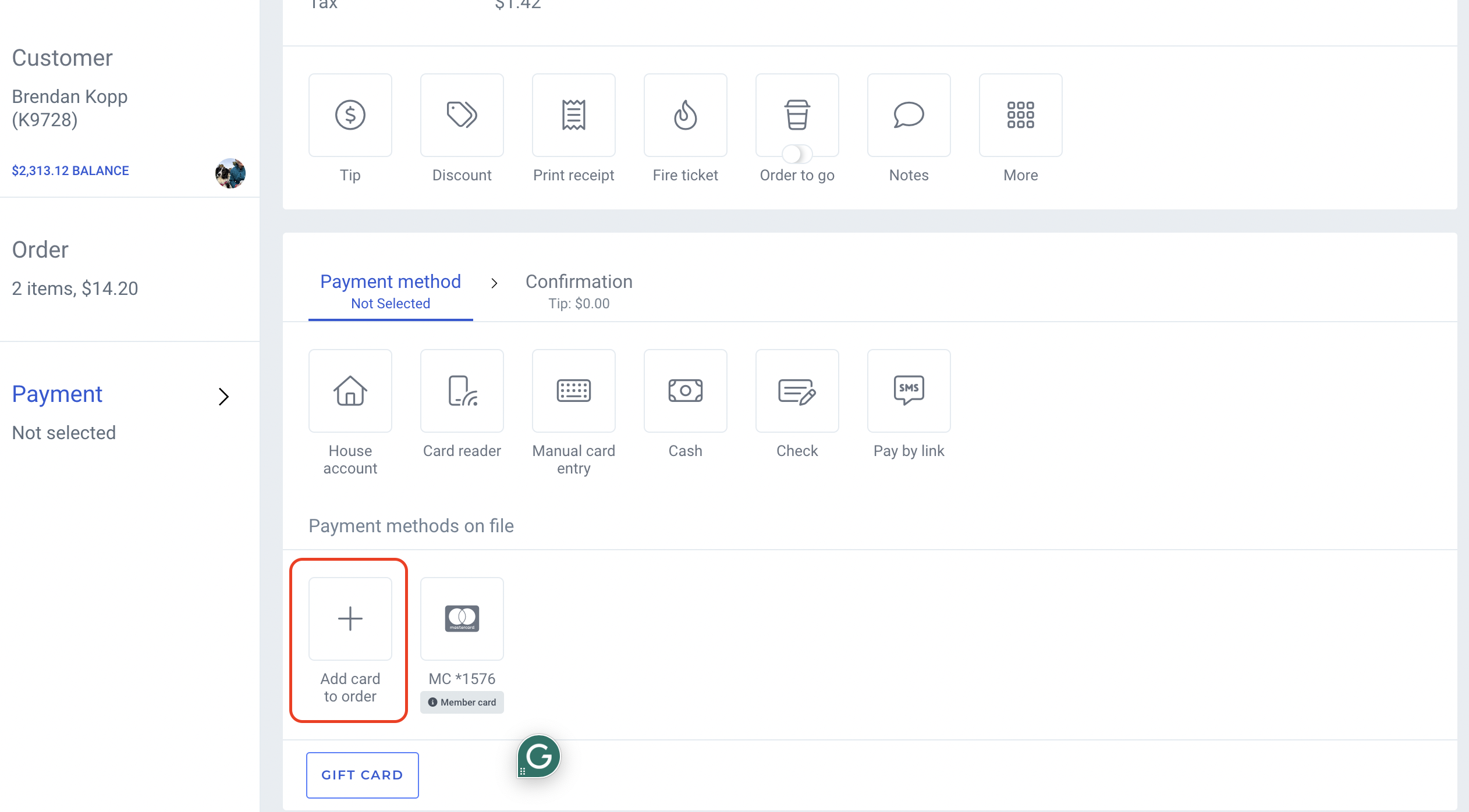
FYI: Adding a card on file for a member’s order will not add the card as a payment method for the membership (eg. to pay membership dues, or future point of sale orders) unless you specifically select the option to save the card to membership.