
Update Next Invoice Date
When managing exceptions such as leaves of absence or custom billing arrangements, you may need to modify a member’s billing cadence. This article explains how to update the date of an upcoming invoice for an individual member.
Individual membership billing update
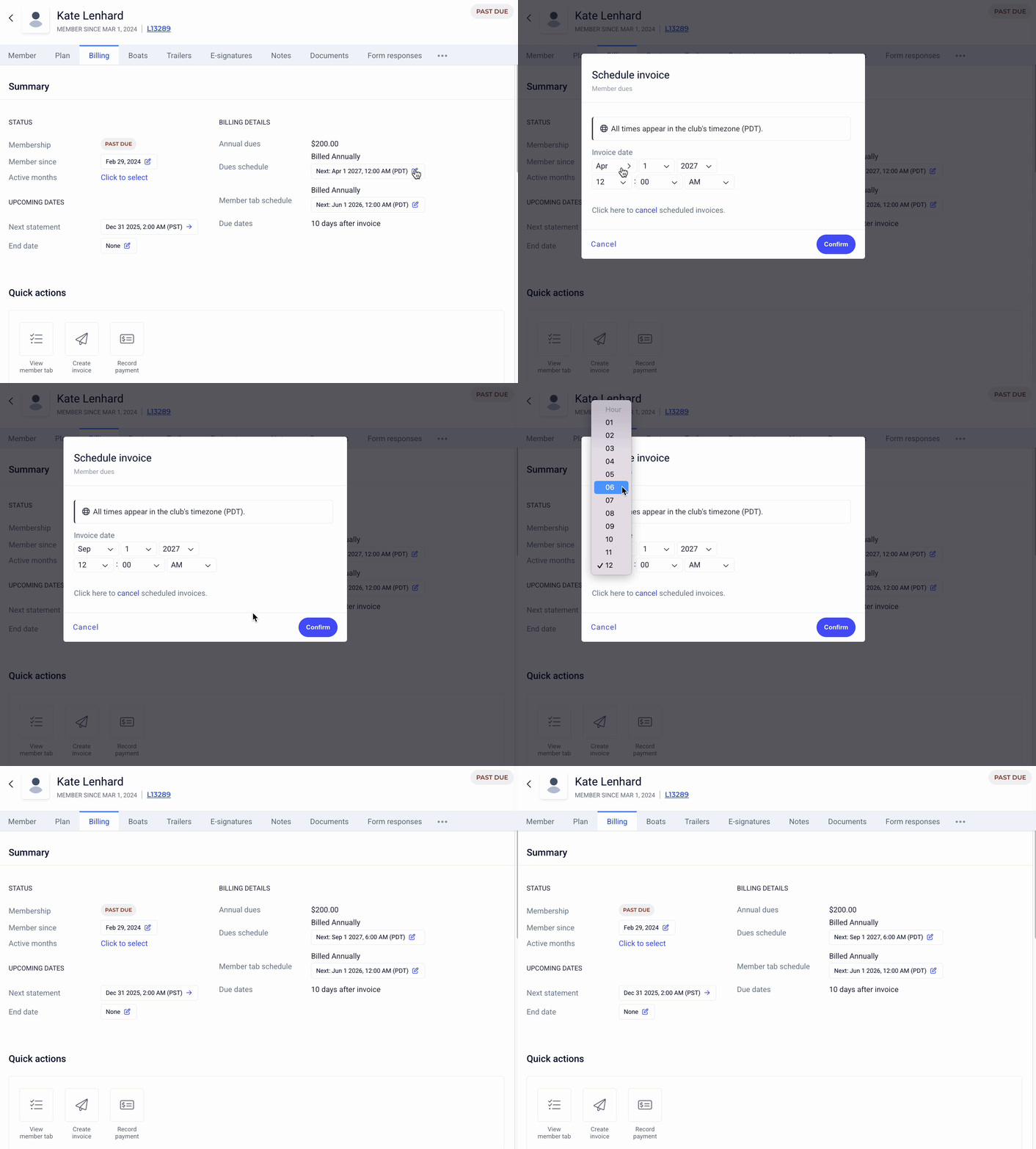
To update the next dues invoice and/or next member tab invoice for a specific membership, first, go to the respective member’s billing details.
The Billing Schedule includes the Dues schedule (membership dues) and member tab schedule (member account charges accumulated over the billing timeframe, i.e., monthly from any registrations of Point of Sale transactions).
To update a billing schedule, click on the blue date and select the “new” date for billing. You can select the month, day, year, as well as the time the invoice would be rescheduled to.
If you are looking to change the billing dates for ALL memberships, please reach out to support@theclubspot.com, rather than manually updating each member.