
Profile Notes
If there are notes that you would like to record for an individual member (as opposed to notes about the family membership), you can do so on that member’s profile. Click the 'view profile' button and use the pen and paper icon to edit the notes field.
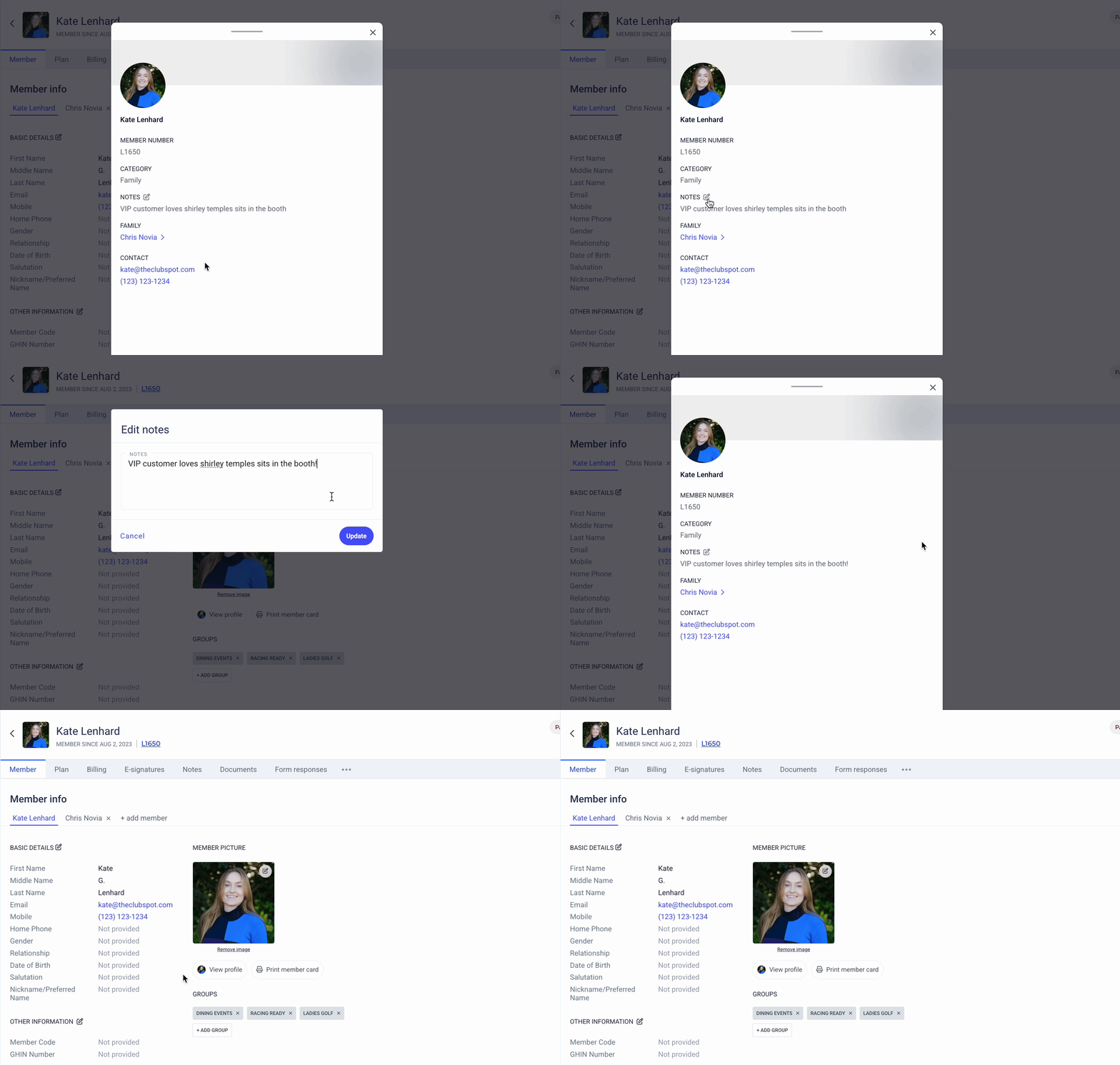
These profile notes can appear in various admin-facing sections of the platform, such as the Point of Sale or the Check-in Kiosk and thus are often used to denote preferences.
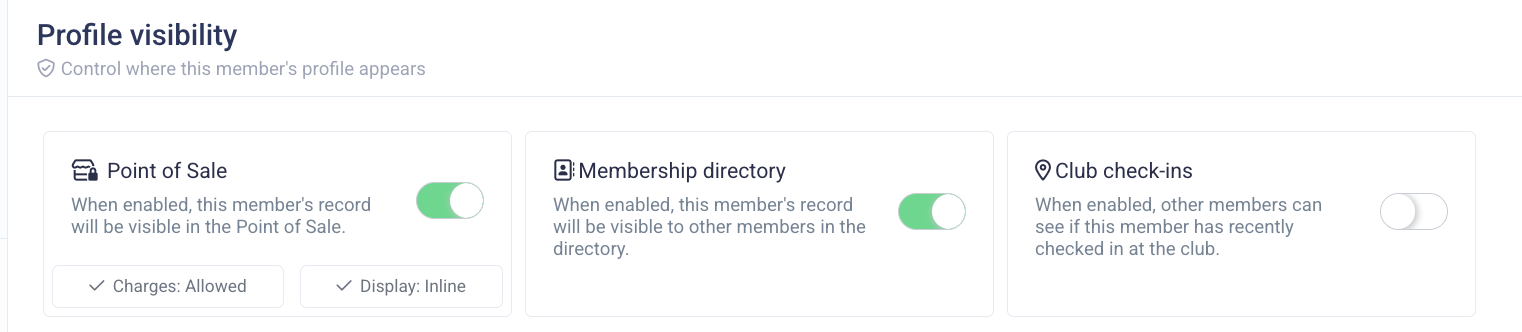
An admin can command the profile to appear when a server opens an order for a given member by toggling ON the point of sale profile. This selection is made on the basic details of a member from their membership dashboard:
For example, recording details such as drink preference, notable food allergies, preferred table to sit at, etc., can be helpful during food service to deliver a personalized member experience.
Please note, member profiles can also display membership add-ons (eg, Wine Club, etc). Please reach out to support@theclubspot.com if you'd like to include an add-on on the membership profile.