V1 to V2 Banquets Transition
Banquets Version 2 is now available in Clubspot. This release introduces improvements to financial visibility, payment flexibility, workflow clarity, and administrative controls. This guide will outline the upgrades you'll see in both Version 1 and Version 2 banquet events.
Version 2 Rollout Rules
All clubs are currently using V1 banquets. If you'd like to use V2, please reach out to support@theclubspot.com. We'll then use the following rules to convert your eligible banquets to V2:
Your account may contain a mix of Version 1 and Version 2 events
Events that already had financial activity before the release will remain Version 1
All newly created events will automatically be created as Version 2 events
Any existing events without payment activity (i.e., no deposit request issued, no invoices finalized, etc.) will also move to Version 2
Please contact support@theclubspot.com if you have any questions about the new Banquet Event features!
Event Balance
In both V1 and V2, each banquet now holds its own financial balance.
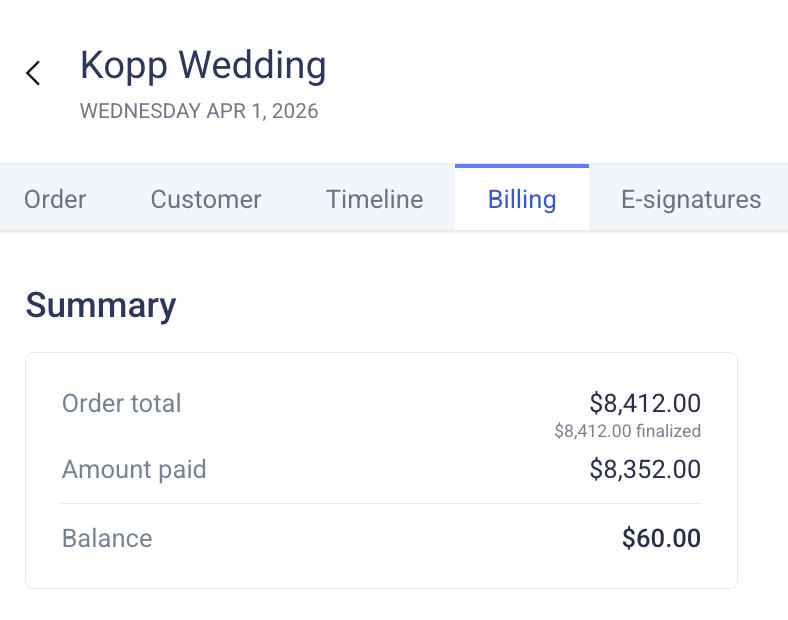
Balance = the total of all line items (including draft line items) - net payments (all payments minus refunds).
Simply, the balance reflects what is still owed on the event after accounting for all charges and all money received. This balance is displayed on the event table, the bottom of the event order, and the top of the event billing page:
Payments
V2 banquet events no longer need payments to be tied to a specific invoice. Our new flow allows payments to count towards a general event balance. Admins will recognize the quick action tiles on each event's billing page, as they align closely with the quick actions associated with a membership's biling page:
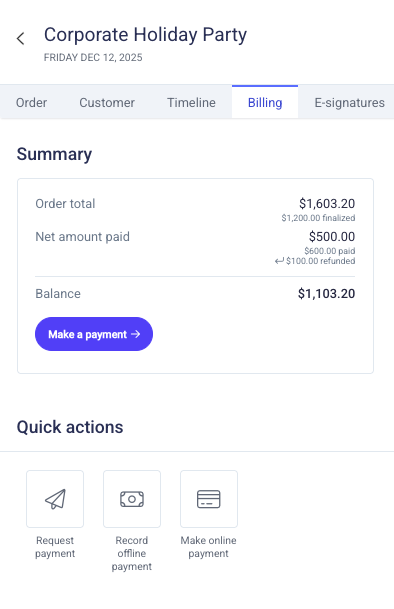
V1 events cannot support the ability to record offline payments or make online payments, and these quick action tiles will be unavailable.
Deposit
In V2, deposit requests are initiated by clicking the Request payment tile from the Billing page. Populate the value and the due date of the deposit request to attach it to this BEO.
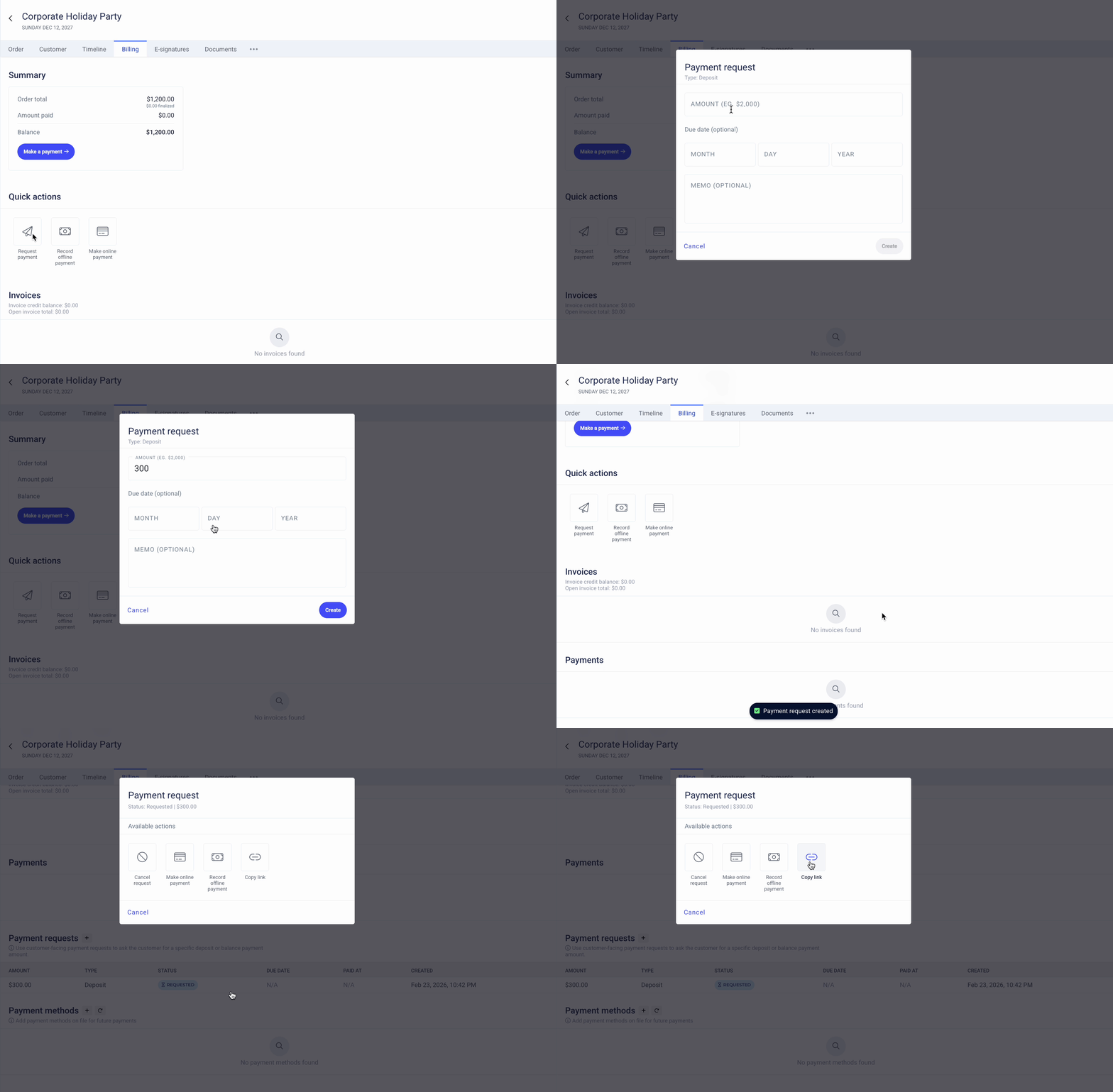
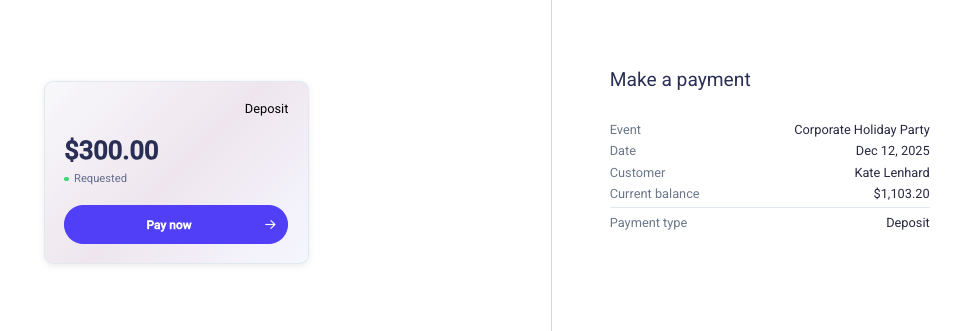
To take payment for this deposit, you can click on the deposit under the Payment requests section. Here you can record an online or offline payment. Alternatively, you can send the customer a link to pay this deposit directly. They'll be directed to a page that clearly outlines the amount that has been requested, the payment type (deposit), and any processing surcharge applied by the club. The customer can then enter their payment details and complete the transaction:
Balance Payment
The payment request method can also be used whenever you'd like to collect funds from your customer. This is an optional tool for an admin to collect a prepayment from the customer against their total balance.
Payment Method
Both V1 and V2 banquets now allow you to store a payment method on file for a specific event. Navigate to the event > Billing > Payment method > and enter the details for an ACH or card payment. Card numbers can be saved by tapping a card reader if you'd like to collect this in person.
Finalize an Event
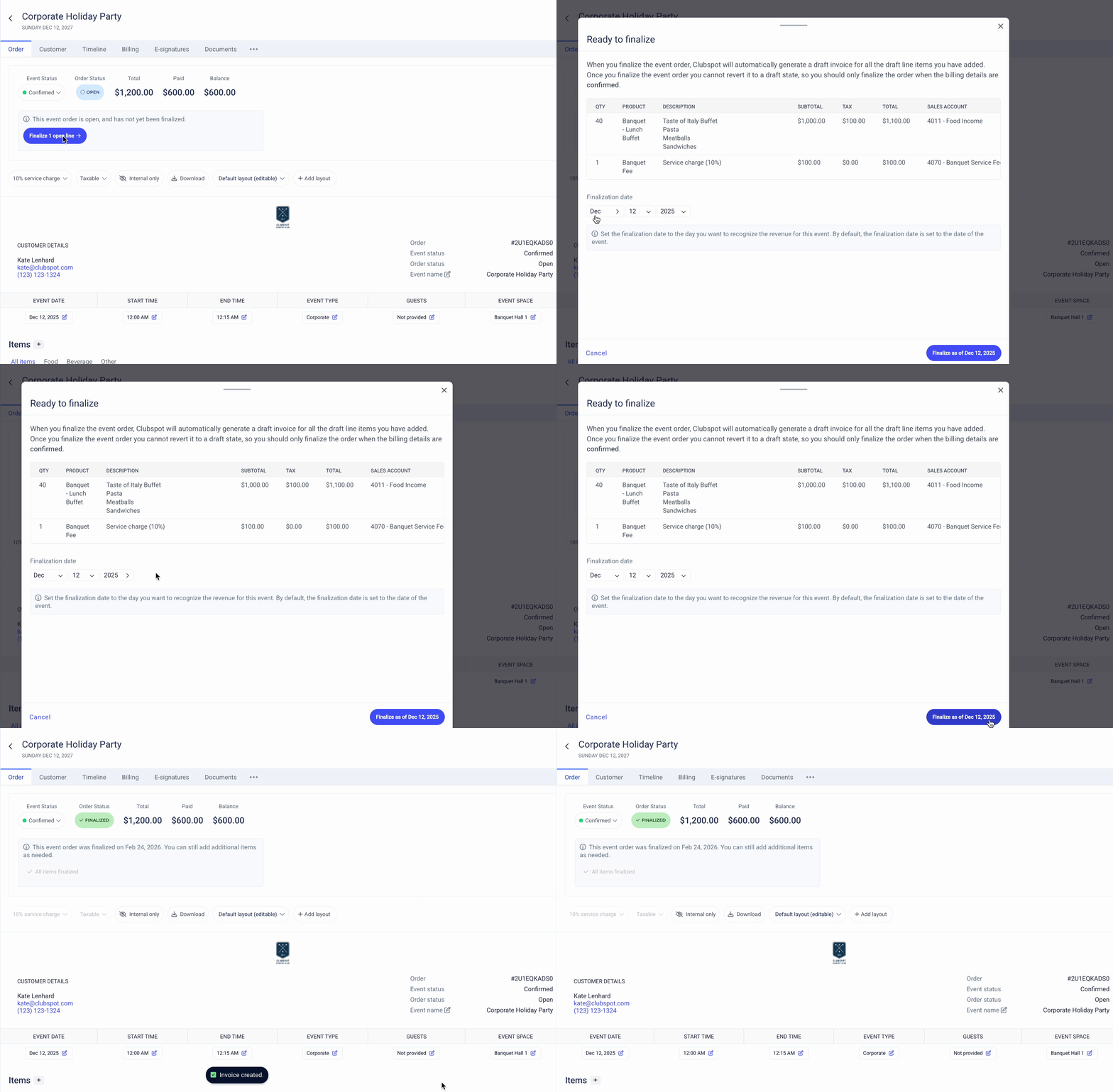
Event finalization now takes place on the main Order page. Once you're ready to finalize, follow the prompt to review all of your charges. Please note that we now default the finalization date to that of the event to assist in accurate revenue recognition timing. This date is customizable if necessary, but cannot be dated in the future.
After Finalization
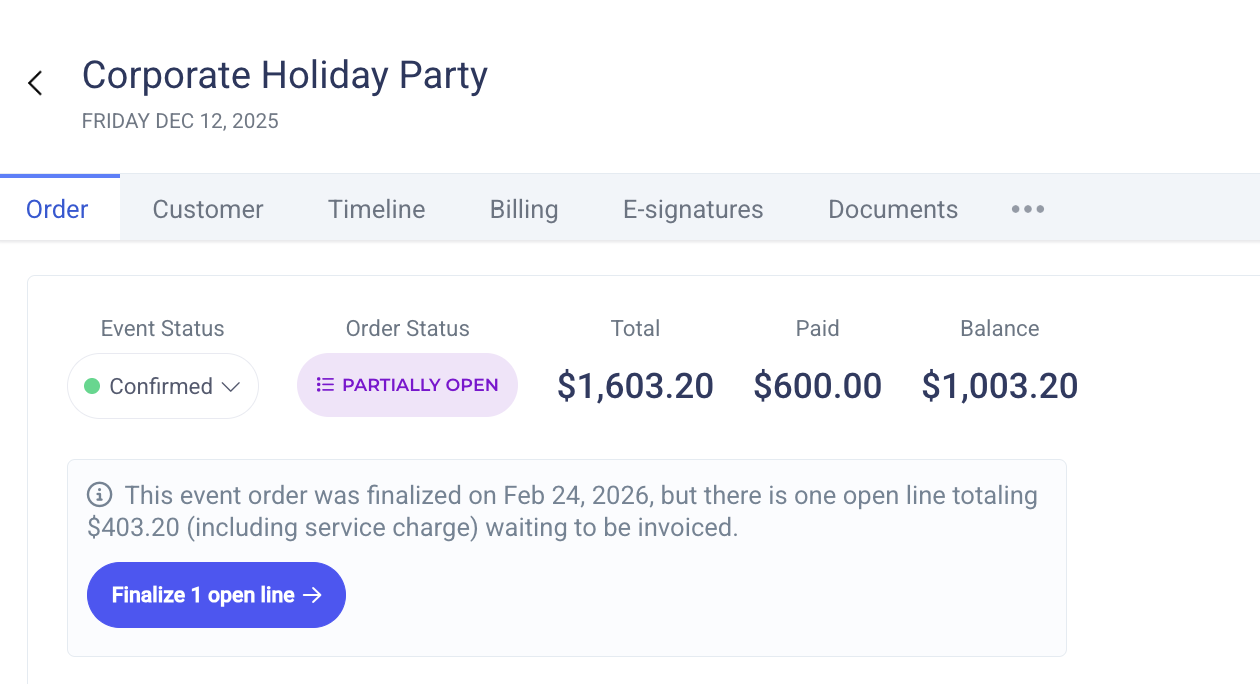
While you cannot edit a line item that has already been finalized, it is now possible to add more line items to events that have already been finalized. This feature can help with last-minute changes and consumption-based charges. If you do add new line items to a previously finalized invoice, its status will become "partially open". To bill for those additional line items, you'll need to finalize them:
Dashboard Enhancements
Event Settings
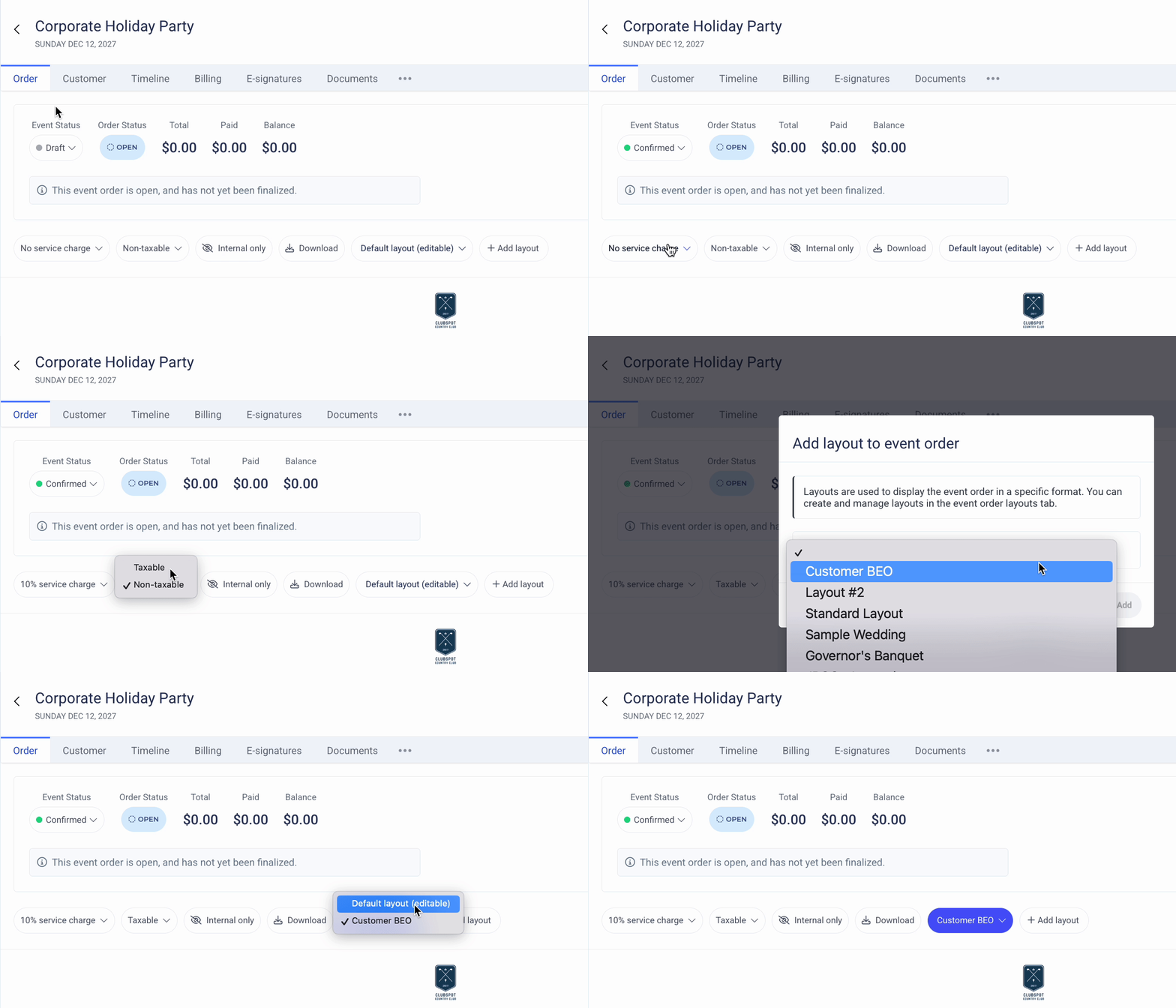
Key settings and statuses have been relocated to the top of the Order page to improve usability:
Banquet Event Dashboard
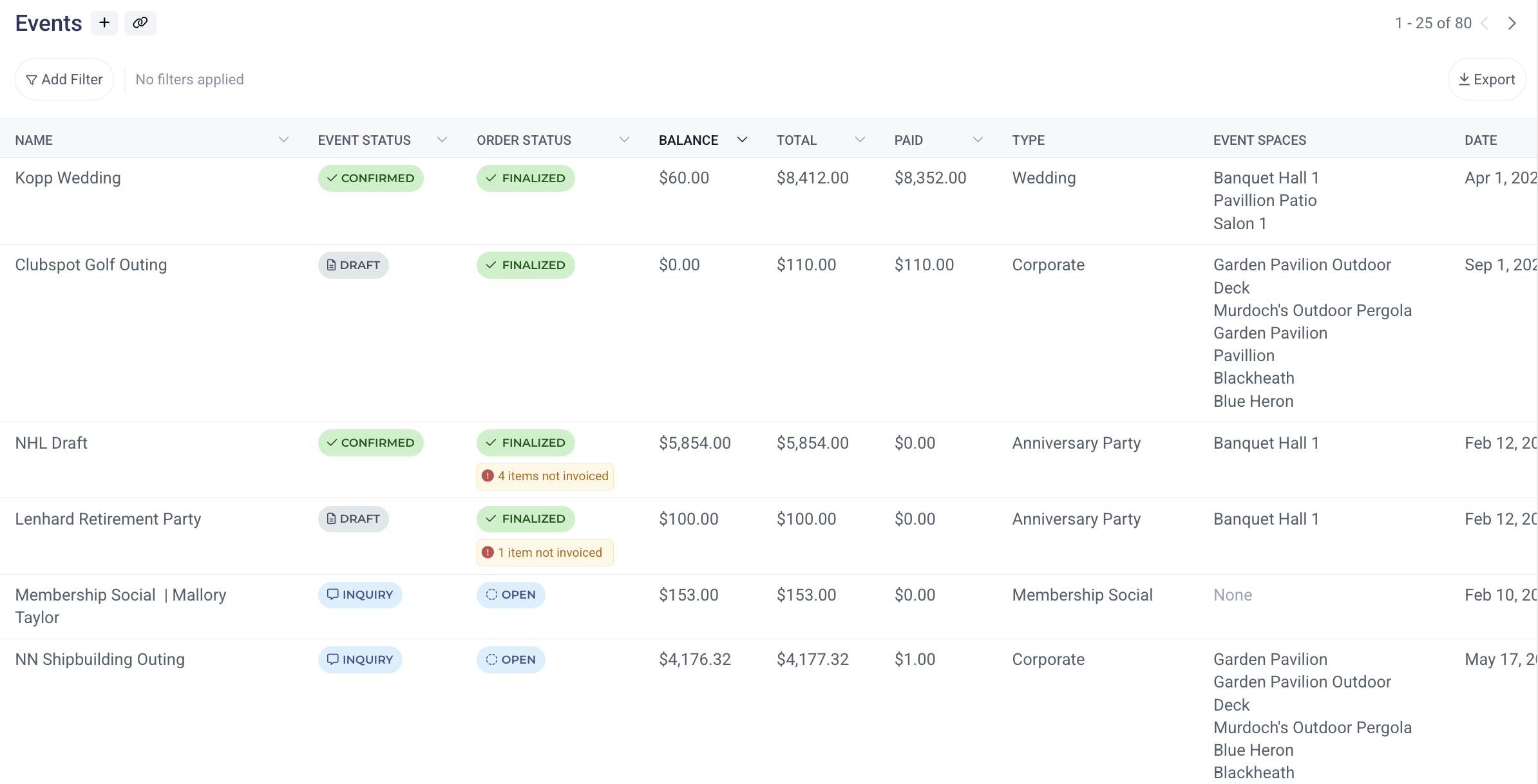
The banquet table includes new financial columns to determine the event balance, total, and amount paid at a glance.
The spaces column makes it easier for event coordinators to determine the location of the event.
Additional filters available to refine the event dashboard by specific event space and BEO layout.
A new warning under Order Status highlights events that were finalized with a lingering draft invoice. In V2, it will no longer be possible to finalize an event order without finalizing the draft invoice that is generated, but if that is the case for any of your previous V1 events, we'll display an alert so admins are aware that the event contains an unbilled draft invoice.
Advanced Settings
The BEO Layout table uses new hyperlink columns to help navigate the relationship between layouts and the content tables & product groups that they're built with.
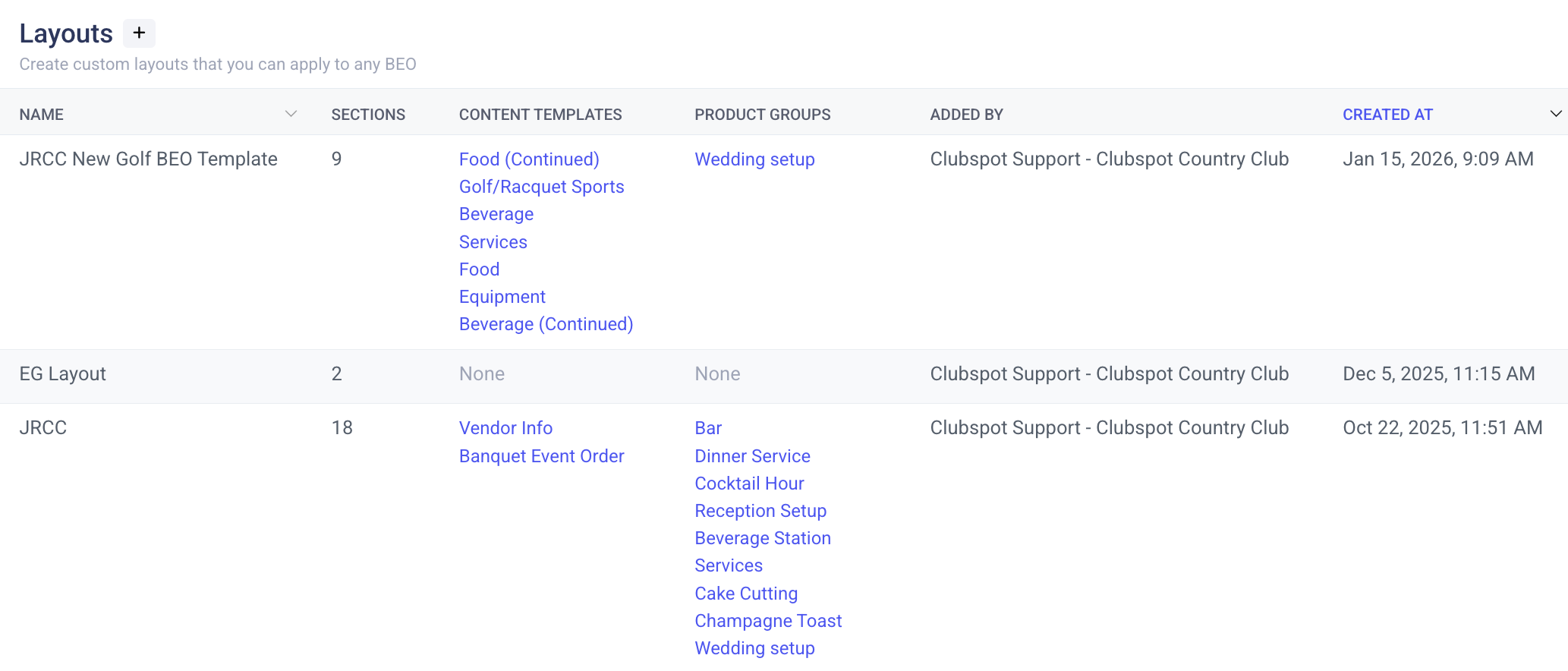
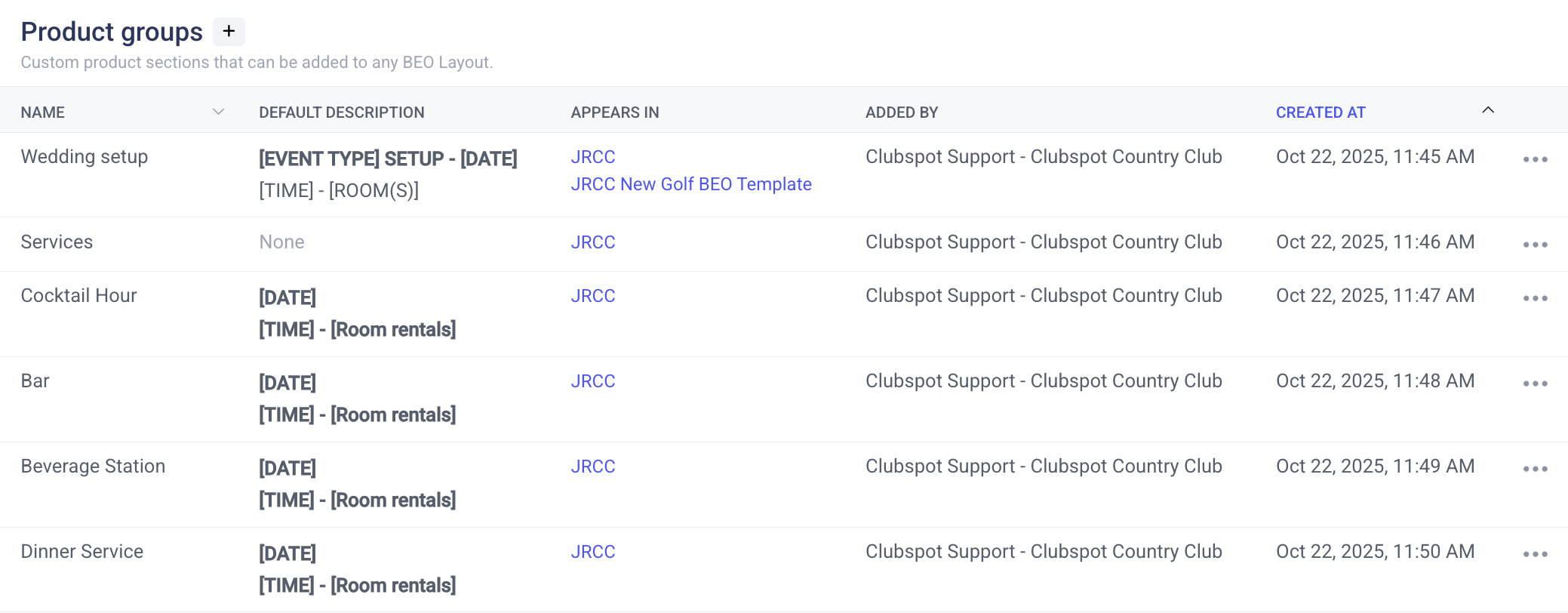
The product group dashboard now visibly displays the description used in each element to differentiate their text without clicking into each row. Hyperlinks on the group and content template dashboards allow you to quickly jump to each of the BEO Layouts where they are being used.