
Custom Code: AI Reccomendation
Clubspot’s Custom code component in the website builder is compatible with common generative AI tools. This can help produce custom page sections to your specifications without the need for any coding experience. Doing so requires access the the Clubspot website builder for your club as well as service like ChatGPT or Grok etc.
How it works:
Start by launching the website editor and navigating to the page you want to add custom content to. In the left hand (hamburger) menu of the website editor click + Add New Page Section, and then select “Custom Code”.
Next, open up your prompt with the AI service you will be using. For the sake of this article we will be referring to a ChatGTP prompt. You will be using Chat GPT in the next steps to produce the custom code to drop into the Clubspot website builder.
The prompt for your chatbot is important to be able to produce compatible code that works well with the rest of the site. Use the below suggestions to produce that high quality code that you can use to make your custom sites!
Skeleton Prompt:
Make sure to use this format when asking AI to create code for you:
Write me clean HTML with all CSS inline (use style="..." on elements, not <style> blocks, and no <body> tags) for a [component or element] that looks like [style details]. It should be [aligned/sized as needed], and responsive down to 320px width.
The red text indicates essential elements that should be included verbatim in your prompts for them to work in the web builder. The green text represents sections you should customize to specify exactly how you want your element to appear. As long as you include the red portions, you can customize the other sections however you want. Here are some examples to help you get the most out of your custom code component.
Example Prompts:
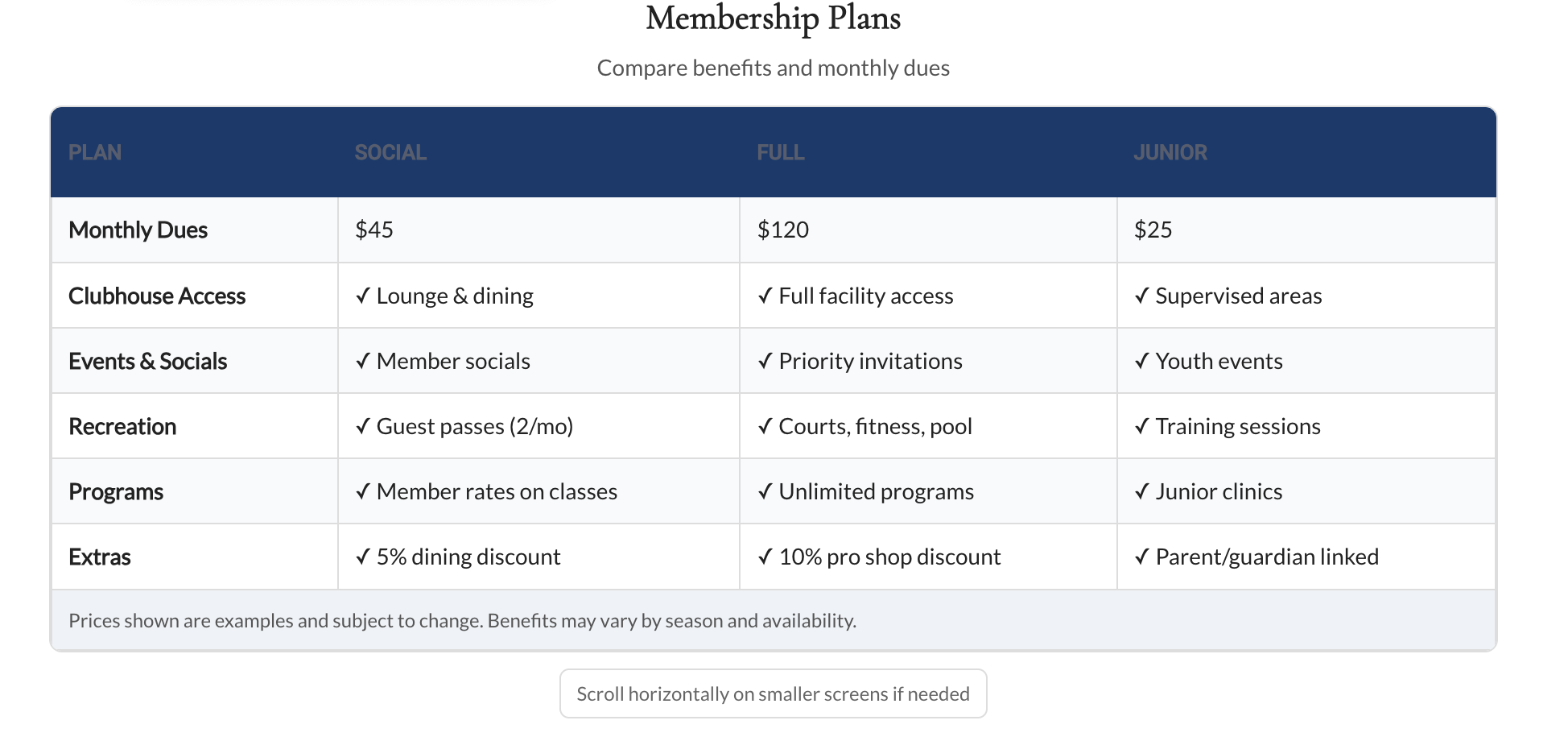
Comparison Table:
Create a clean membership plans table with three options: Social, Full, and Junior. Each column should include the plan name, the monthly dues, and 3–4 benefits with ✓ icons. The table should have borders, alternating row colors, and a bold header row. Make it easy to read and professional looking. Write me HTML code with all CSS inline (use style="..." on elements, not <style> blocks, and no <body> tags) responsive to 320px width.
Result:
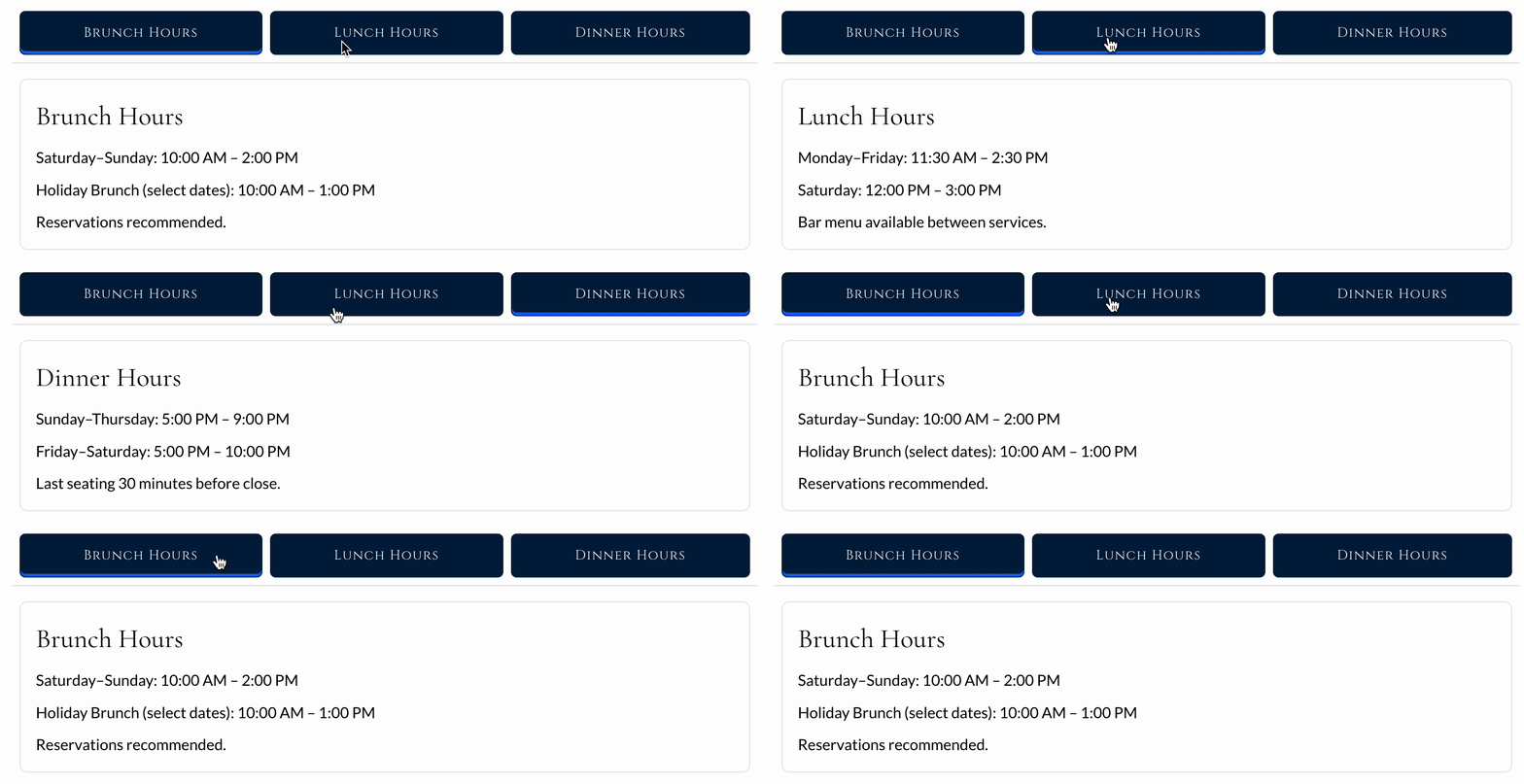
Restaurant Hours:
Write me HTML code with all CSS inline (use style="..." on elements, not <style> blocks, and no <body> tags) for a 3-tab section with rectangular tabs, a blue active highlight, and smooth transition between content. The first tab is titled “Brunch Hours” the second tab is titled “Lunch Hours” and the third tab is titled “Dinner Hours”. Make it responsive to 320px width.
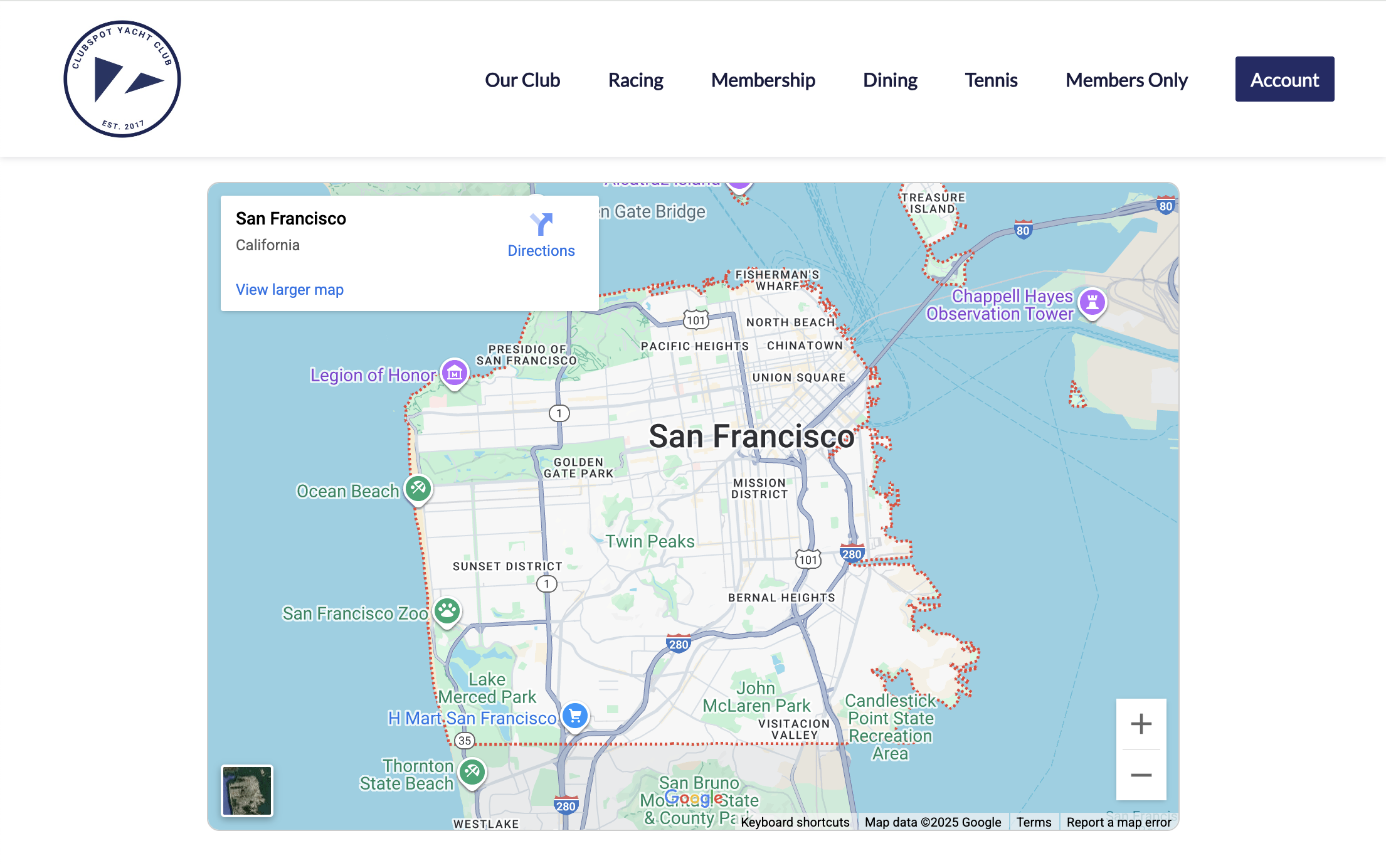
Custom iFrame Embeds:
Write me HTML code with all CSS inline (use style="..." on elements, not <style> blocks, and no <body> tags) for an iframe embed for a Google Map of San Francisco, 70% page width, responsive, with a thin rounded border. Make it responsive to 320px width.
Best Practices:
Always use the skeleton format. Include the required text exactly as shown; this ensures the code works in the Clubspot framework.
Be as specific as possible with your prompts. Instead of saying, “Make a blue button,” try: “Make a navy blue button with rounded corners that animates when clicked, is centered on the page, says ‘Sign Up Here,’ and links to this [URL].” The more detail you give, the more likely ChatGPT will generate code that looks and works exactly as you want.
Work in small steps. Start with a simple version (like a table or a card). Once it works, ask ChatGPT to “make the text bigger” or “add a border”. Small changes are easier to test.
Iterate and refine. ChatGPT’s first draft usually won’t be perfect. Test the code right away in your builder, see how it looks, and then ask for adjustments. Small refinements step by step will get you the exact result you’re after.
Use images as references. ChatGPT works especially well when you provide visuals. Upload screenshots of features from other sites or even a rough sketch of your layout, and it can generate code to match. A simple picture of a drawing or reference image can go a long way in helping you get the design you want.