Group Classes
Our group classes feature makes it easy for participants to sign up for a recurring event. This is a great use case for workout classes, racquet clinics, and any other repetitive event with an RSVP requirement.
Member Signup Flow
Members can access your group class registration page by following your domain with the path /group-classes (ex https://clubspotcountryclub.com/group-classes). We'd recommend adding the URL to your club website or app for easy access.
The booking page advertises classes available by day, and can be filtered by class type to refine the search. Each class has callouts for the coach, time, cost, and number of spots available in the class.
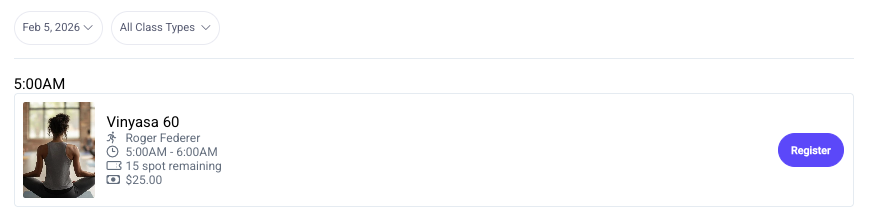
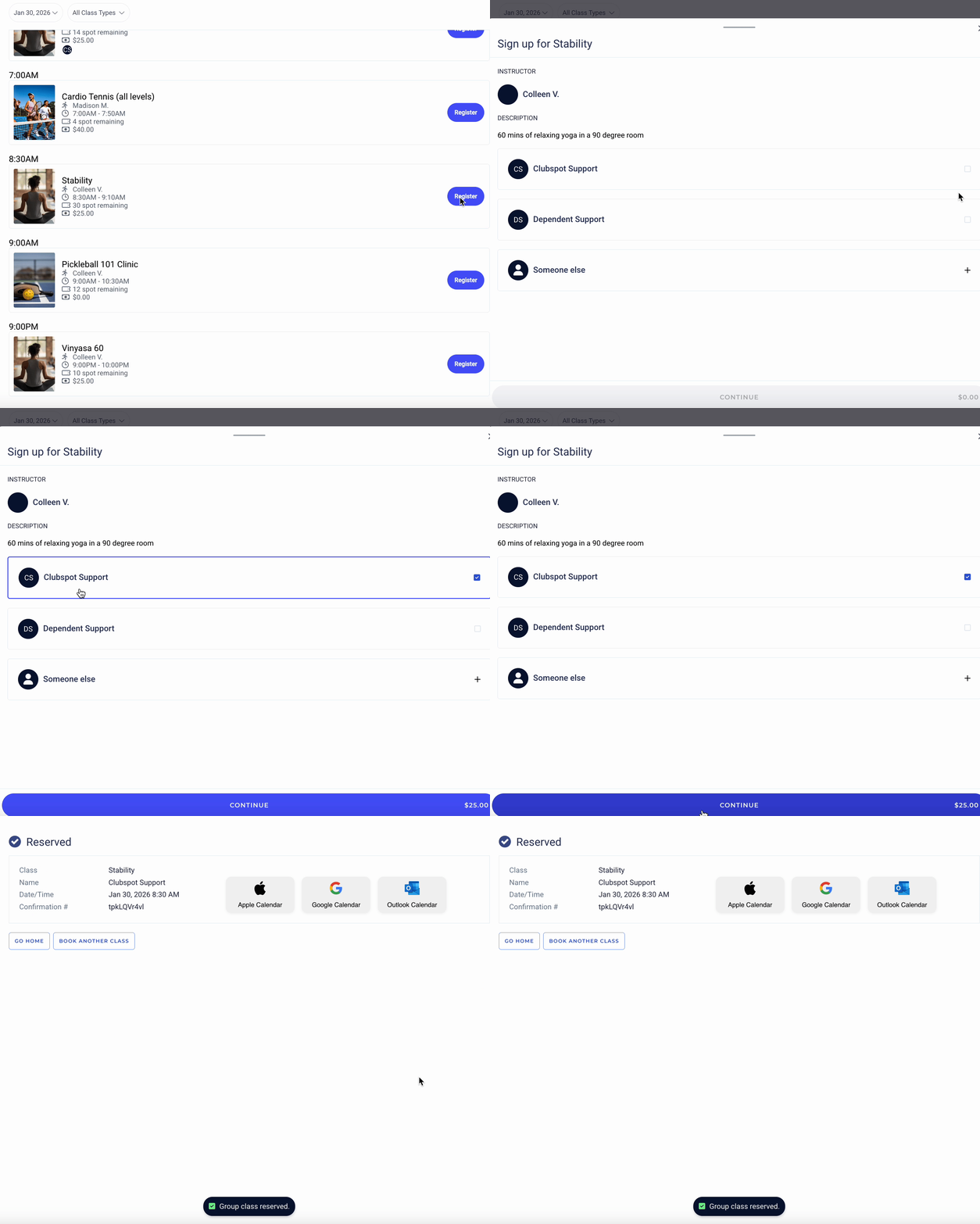
The member can select the blue "register" button to sign up. The registration flow takes less than 30 seconds as registrants simply need to select the class, confirm the member participating, and click confirm:
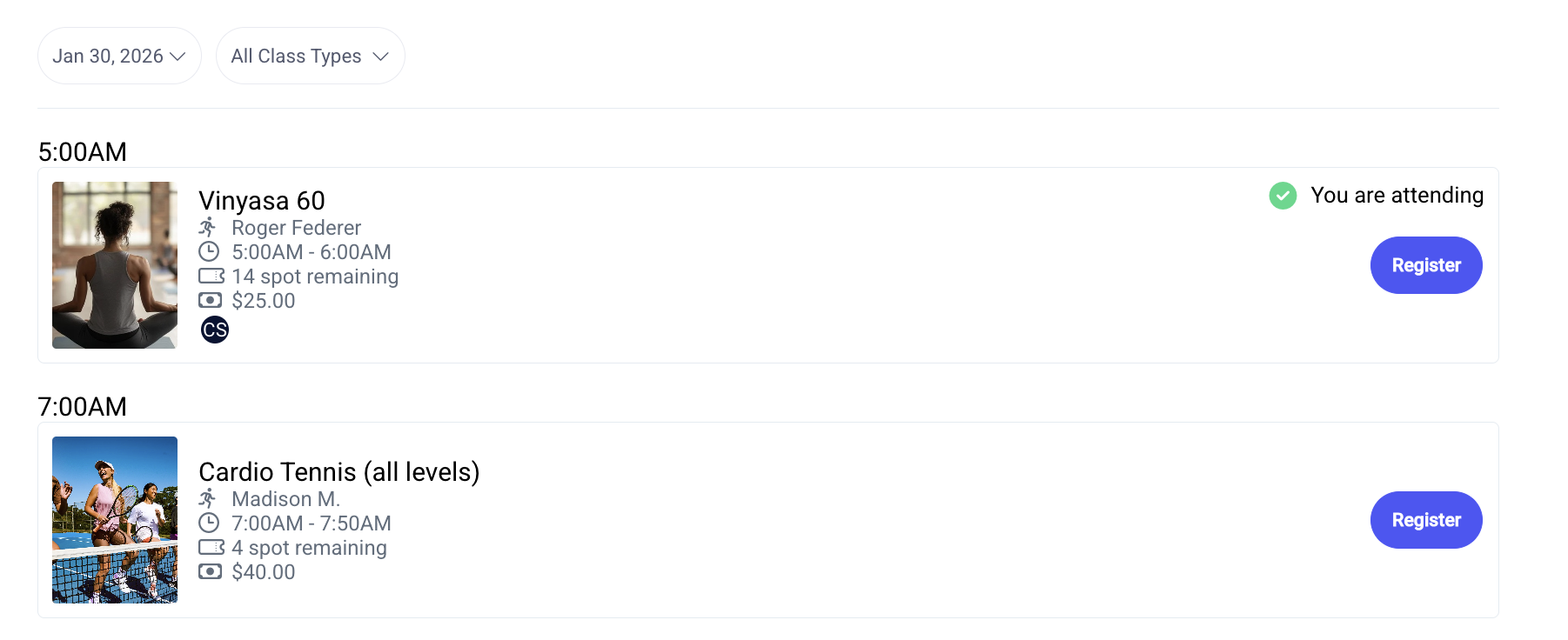
If a member is already registered for the class, they'll see a clear "you are attending" message to avoid accidental double-bookings:
Admin Management
As an admin, you'll have a calendar list to view upcoming classes. Clicking on a class will allow you to see the participant list (and manually add a member to the participant list if necessary). If your class has a registration fee, you'll need to manually charge the participant to collect that fee. Clicking the blue $ symbol will open a side-screen where you can close the charge out to a house account or to an alternative payment method. Participants who have paid will be noted with a green $ symbol.
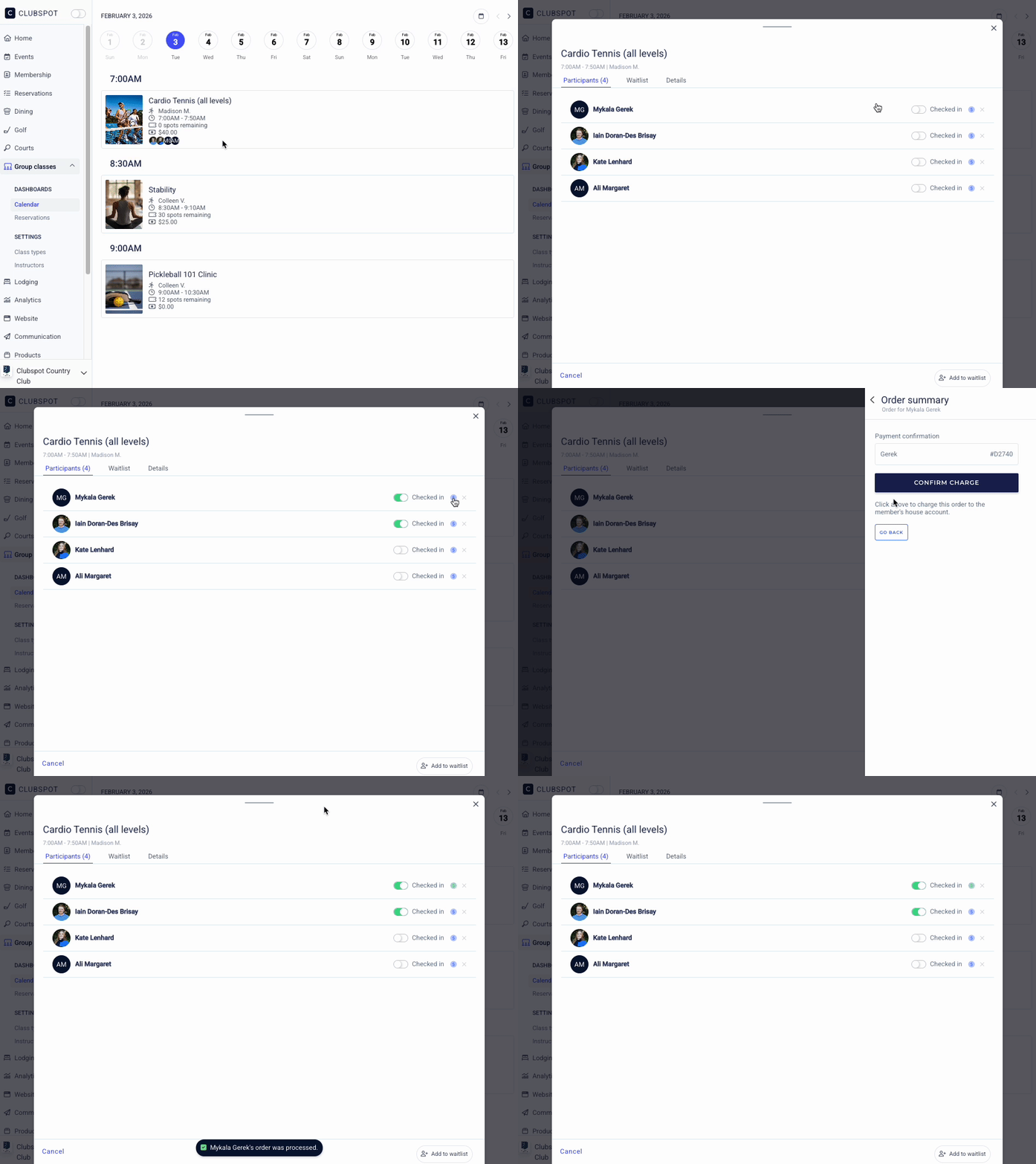
How to set up Group Classes
Group class setup requires three elements: a class schedule, a product to bill for the class fee, and an instructor.
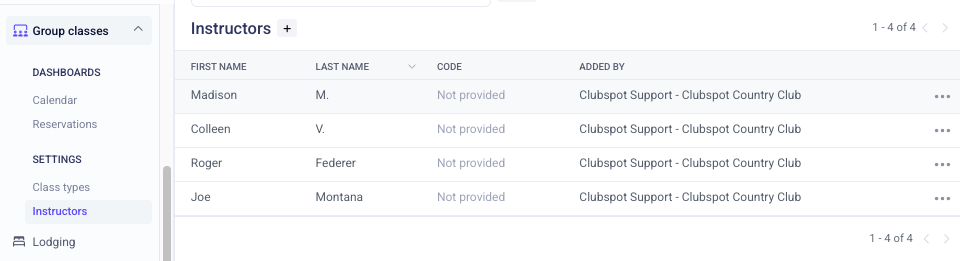
1) Create an Instructor
Instructors are classified as a special type of "staff member" in your Clubspot account. Head to Group Class > Instructors > and add a profile for the coach/instructor so they can lead group classes.
2) Create a product
When someone signs up for class, you'll 'sell' a product that represents that class. Set up a product to correspond with the class and program it for the right price and the right GL for revenue (even if that class is free and costs $0.00!)
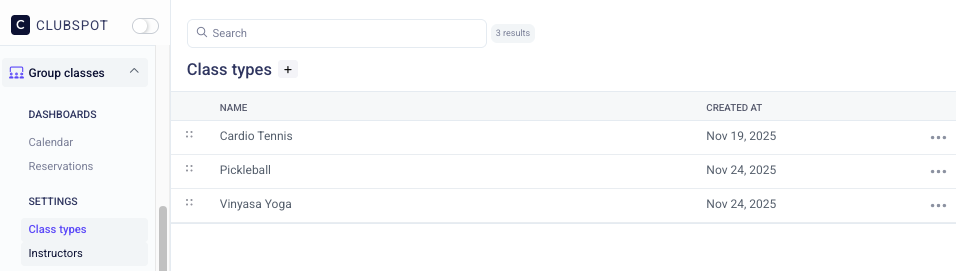
3) Create Class Type
Navigate to Group Classes > Class Types > and create a unique class type for every variety of class. You can think about it as "if the programming has its own description, it should be its own class type."
Build a schedule
Once all three elements are set up, you can put them together in a class schedule. Here you'll be setting up the parameters for when the class is offered. It's possible to have more than one schedule for each class type, which allows for flexibility on different times of day or days of the week.
You'll be prompted to define the duration, frequency, and capacity for the class:
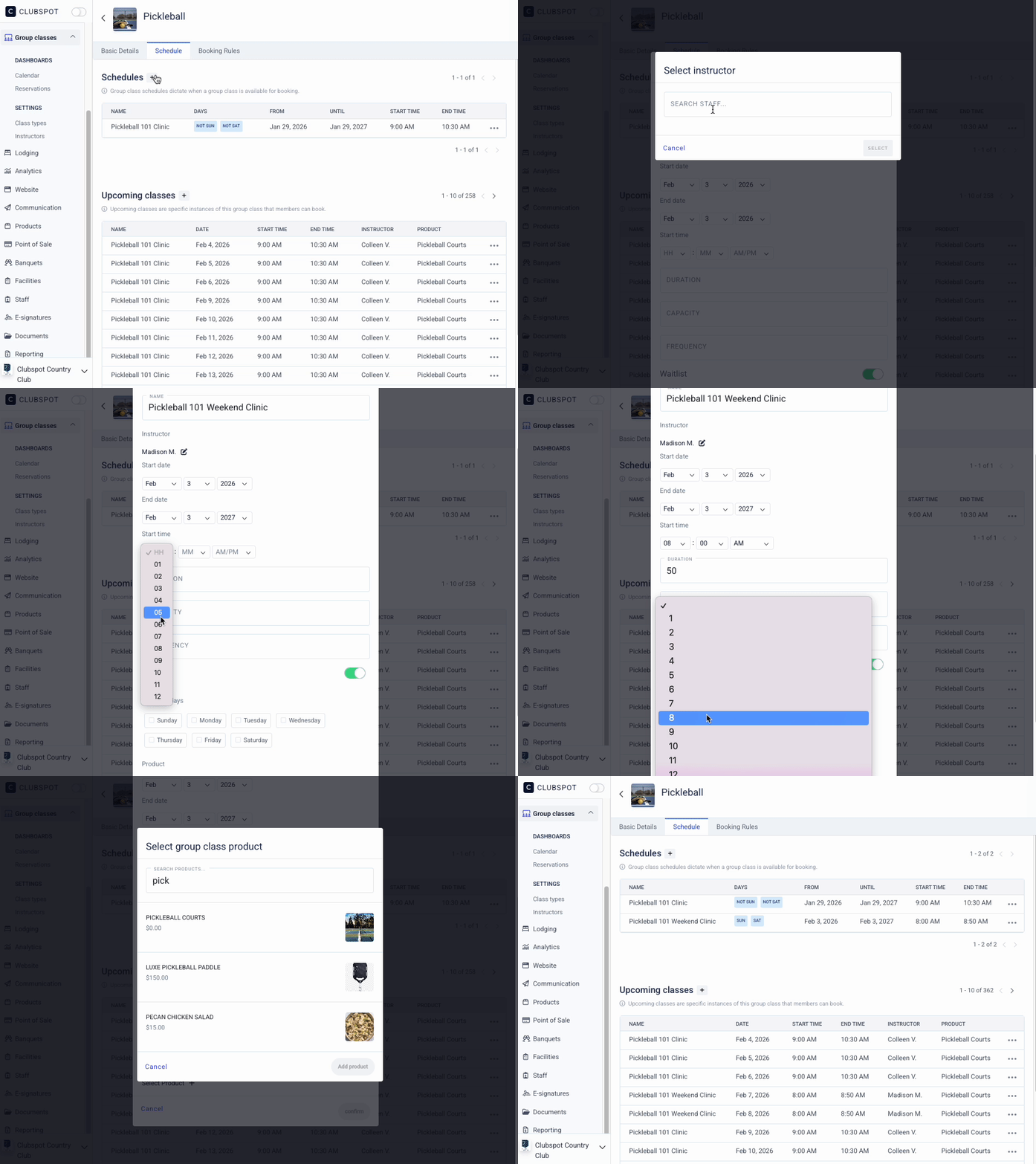
In the event that a single instance of a class has an alternate instructor, or more than one instructor will be teaching the class, click on the upcoming class to make the adjustment.
Calendar Visibility
By default, members will see the group-class schedule of availability day-by-day. If you'd prefer to switch to a week-by-week view (as pictured below), please reach out to support@theclubspot.com and we can make this display change for your club.
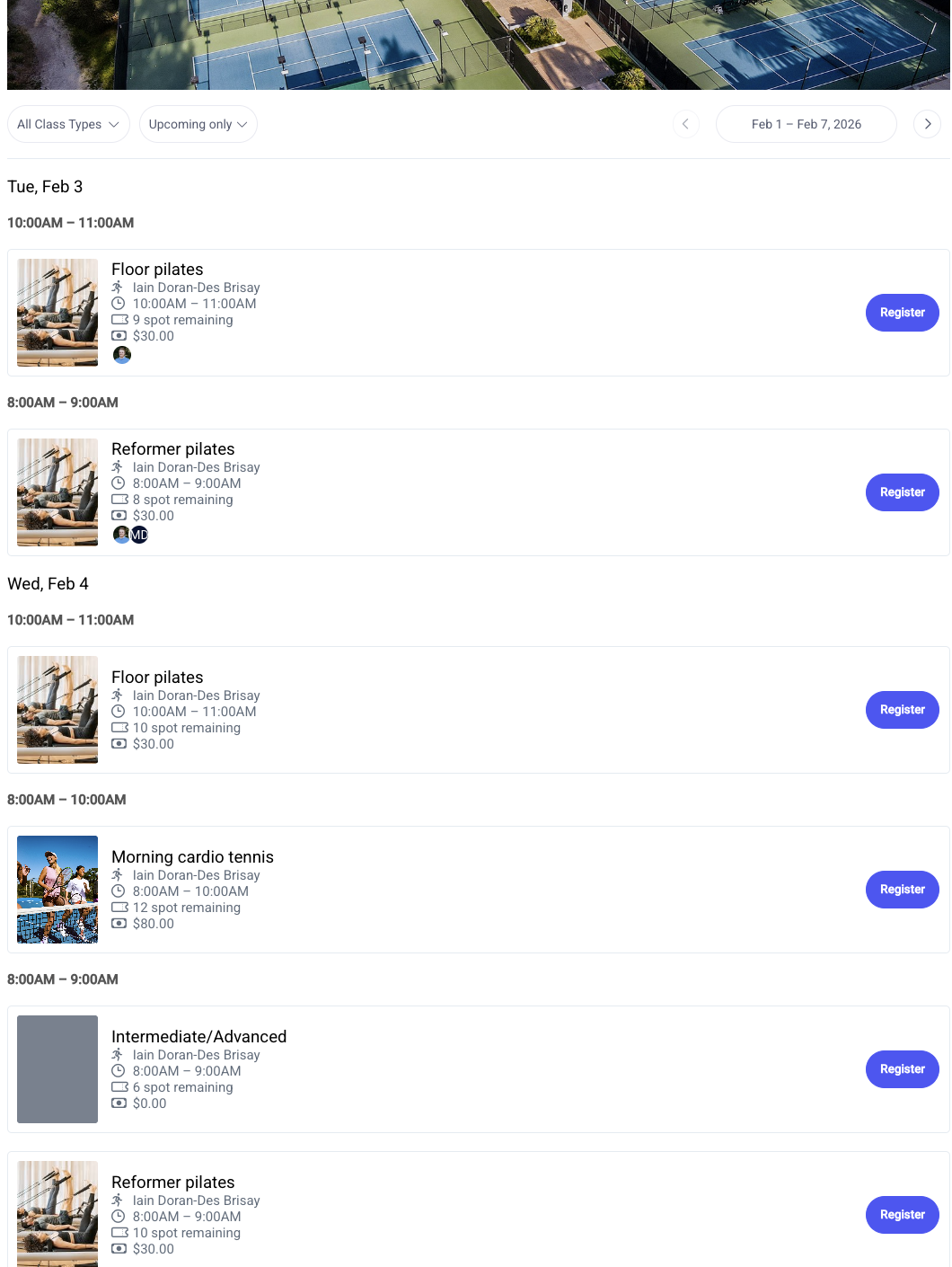
Like Camps, Regattas, and Social events, Group Classes can also be included on your club calendar. You can include event tags on an individual type of class so that they are filterable by tags (ex. Show all yoga classes).