
Fundraising / Club Donations
Go to Reporting > Fundraising to find the donation link for the club’s account. This will allow participants to make donations that will be captured to your club’s bank account.
Incoming donations must be made by card or ACH payment (no member house account charge). Donations are routed directly to your payment account. You can view donations right alongside all of your other transactions.
Campaigns
Create a campaign to allow for donations to be allocated to specific fundraising efforts.
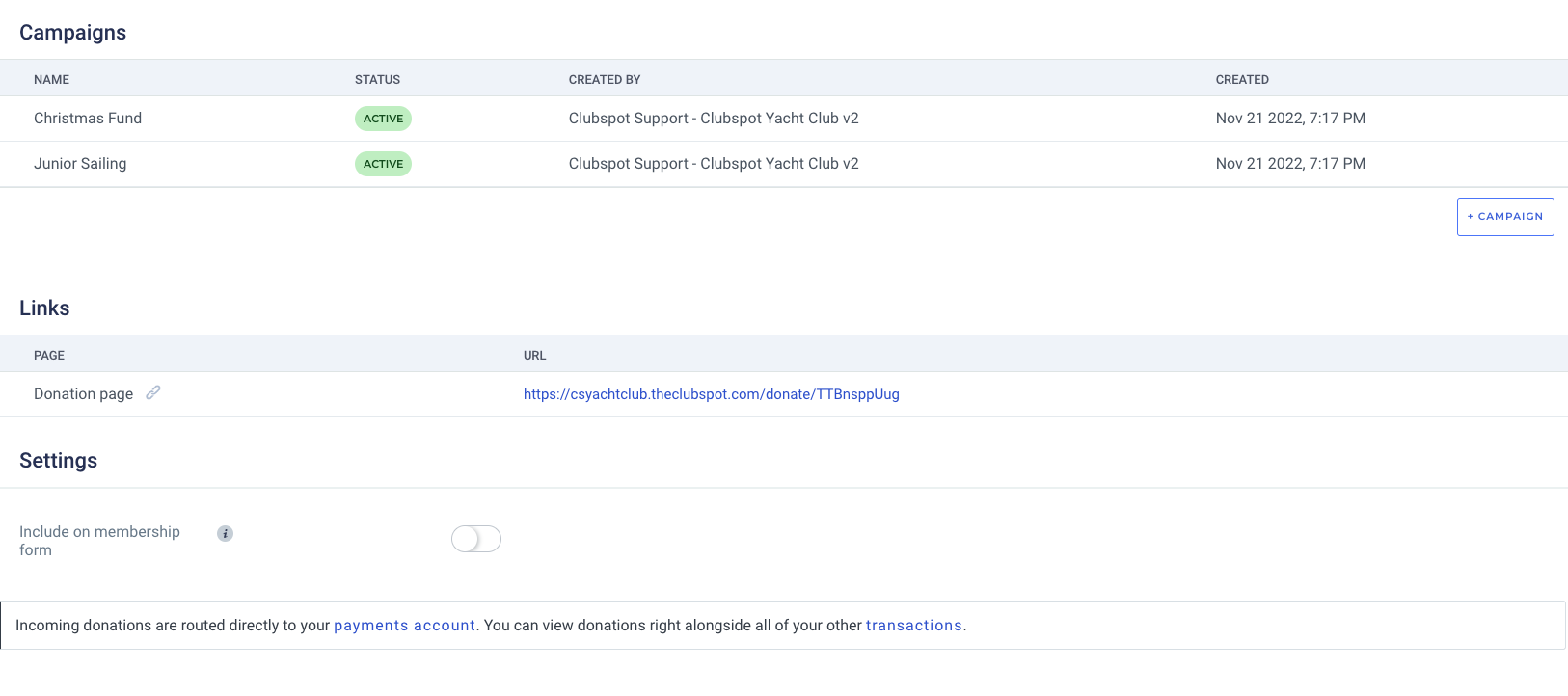
Click + Campaign to create a new fundraising opportunity. This will then be available as a drop-down selection on the donation page. Please note, if you have one or more campaigns created one will be required for participants to select to complete the donation. If you do not have any campaigns the selection is not required
Please reach out to support@theclubspot.com for support with the following actions:
Archive a campaign
Remove tax from donations
Remove any card surcharge from donations
If you’d like to customize the email that is sent following a successful donation, please email us with the language you’d like included
We don't have a way for you to modify the donation page at the moment. For more complex explanations we recommend having a separate donations page on the website that explains what the funds are for and why donations are important to the programs etc. and then only link to the CS donation prompt from there.