
Recording a Check Payment
Edited
Clubspot makes it easy to accept online payments, but you can still record offline payments too (eg. check or cash).
Record a payment
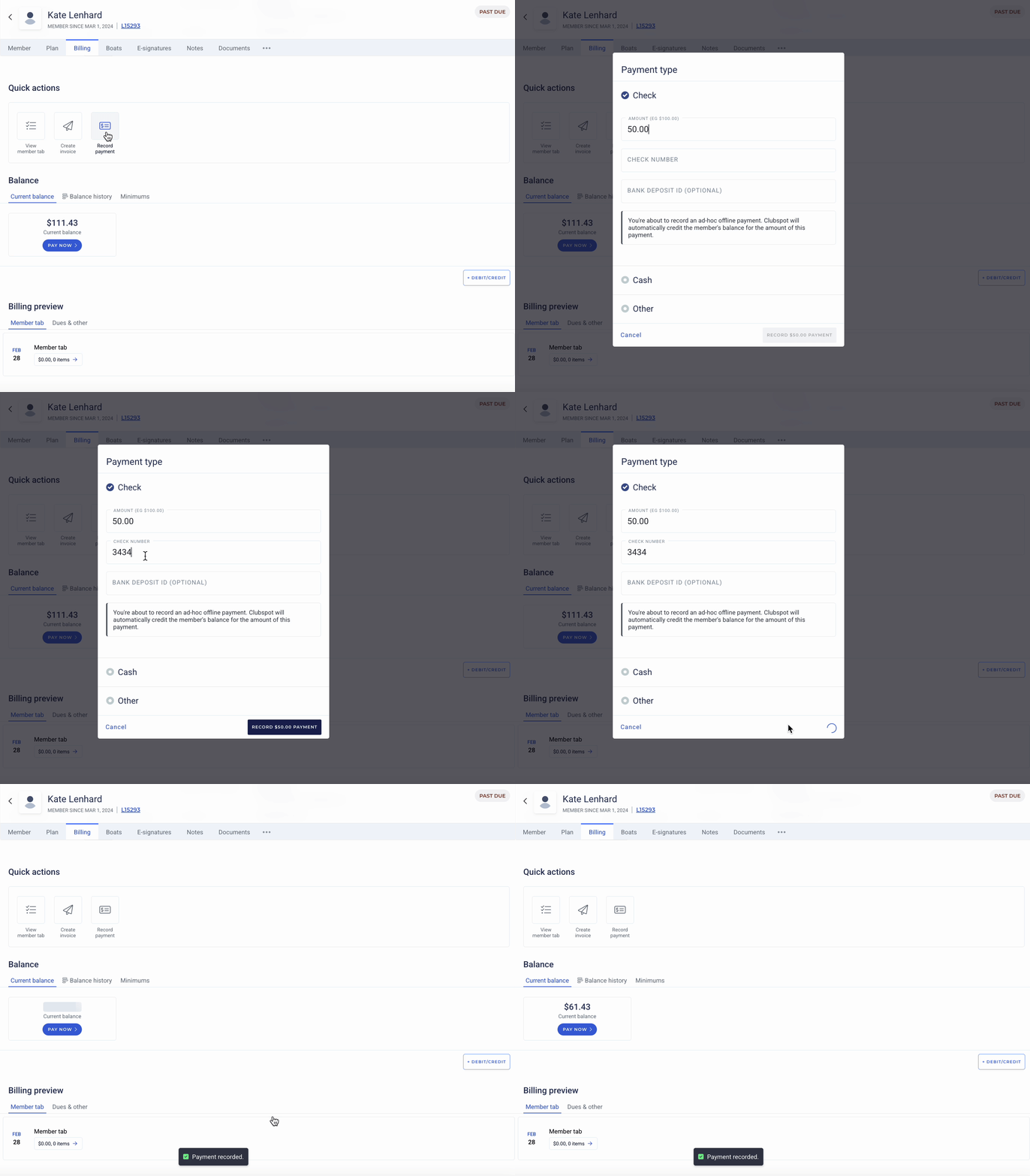
To record a check payment, click the Record Payment button from the Quick Actions menu on the Billing page of a membership. Clubspot will automatically mark any invoices that the payment can cover as PAID, and then update the member’s balance accordingly.
Cash, checks, and 'other' payments are all recorded this way:
Record a batch of payments
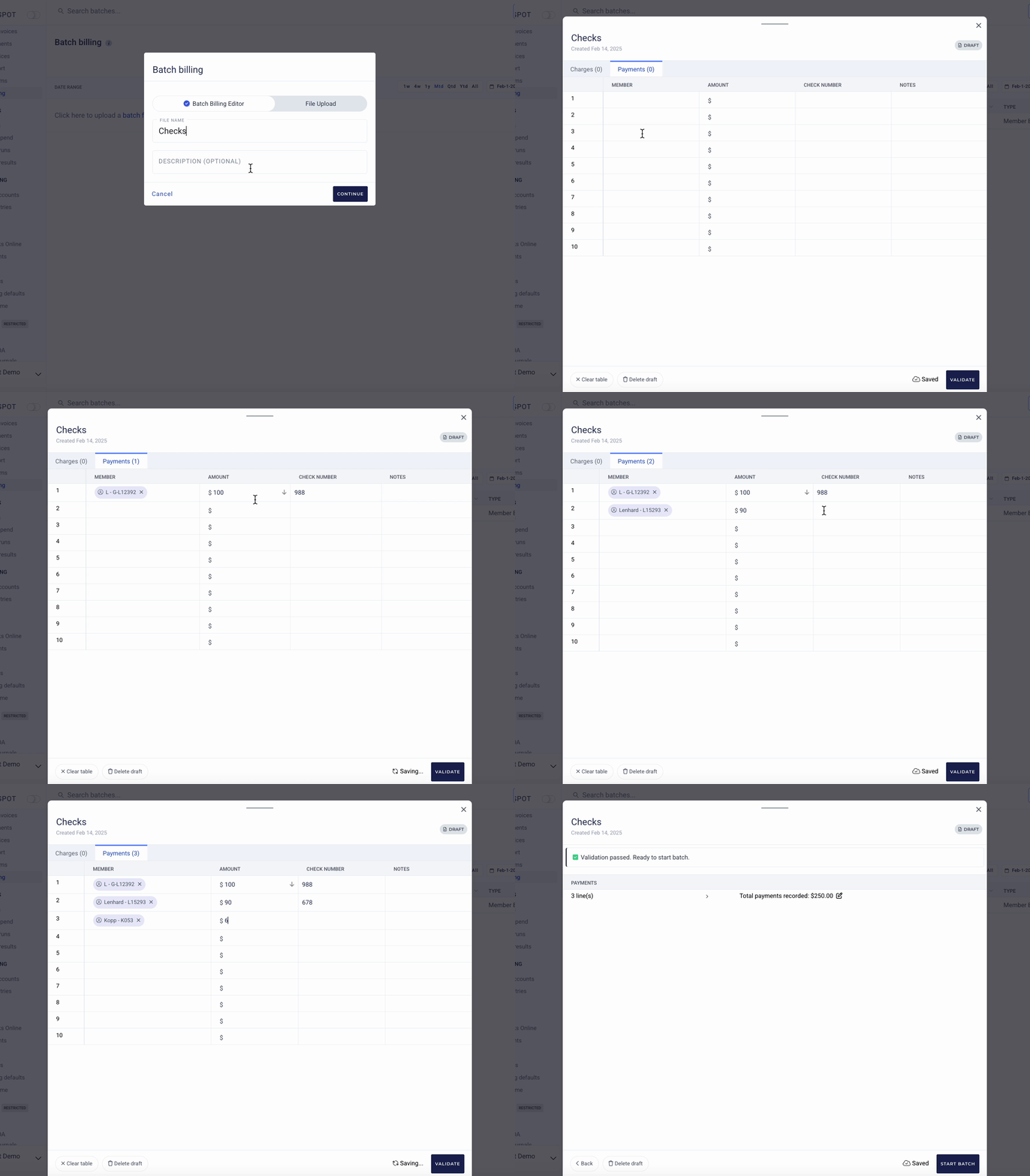
You can also speed things up by recording a batch of offline payments (eg. a long list of checks that you deposited at the bank). Upload them under the Reporting > Batch Billing tab with our Batch Billing Editor.
check
cash
record payment
batch credit