Membership Minimum
Please reach out to support@theclubspot.com if your account is operating on "Version 1.0" minimums. We can upgrade you to Version 2.0 minimum structure outlined below:
Minimums Dashboard
The Minimums dashboard will allow you to create and update the minimums and their parameters. At a glance, you’ll be able to see the minimum’s schedule, what is included, what events and locations it applies to, and if tax or tip counts towards the minimum spend requirement. Clicking into each of these fields will allow you to update them as well as the locations, events, add-ons, and memberships that are subject to this minimum.
Who it applies to
Minimums can be applied to specific sets of members. The dropdown will allow you to set the rules for all memberships, or groups of people by their membership category, membership plan, combination of the two, or individual memberships.
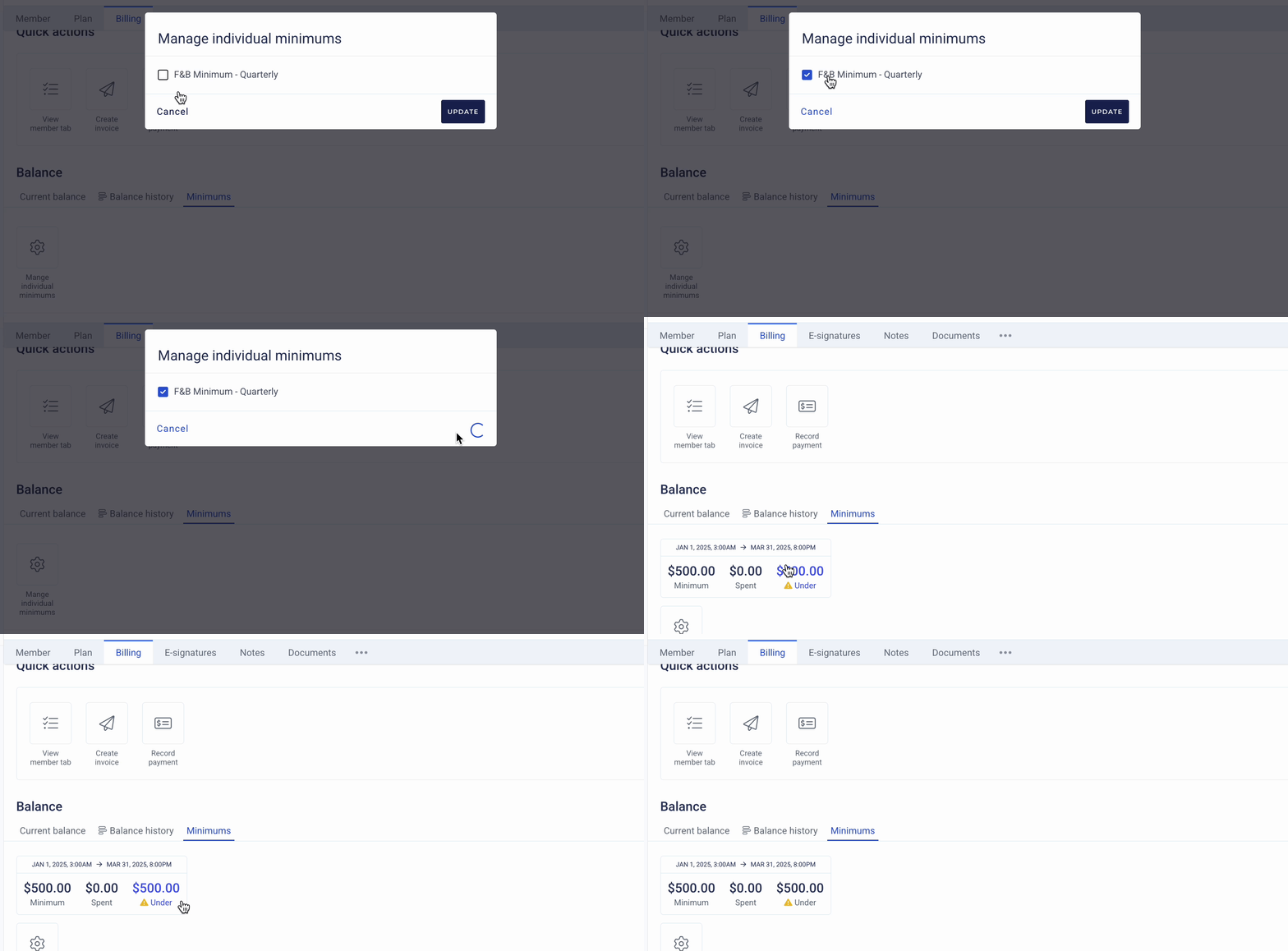
If you have ‘who it applies to’ set to ‘individual memberships’, they’ll need to be applied at the membership level. To do so, navigate to Billing > Minimums > manage individual minimums > choose the applicable minimum.
Minimum-Specific Reports
Your dashboard contains various reporting pages to help you understand when, who, and what is being billed through your minimum.
Realtime Spend
The Realtime Spend dashboard offers a breakdown of each member’s minimum including amount owed, amount spent, and amount remaining. This table can be filtered to narrow the results by membership category or plan.

Minimum Runs
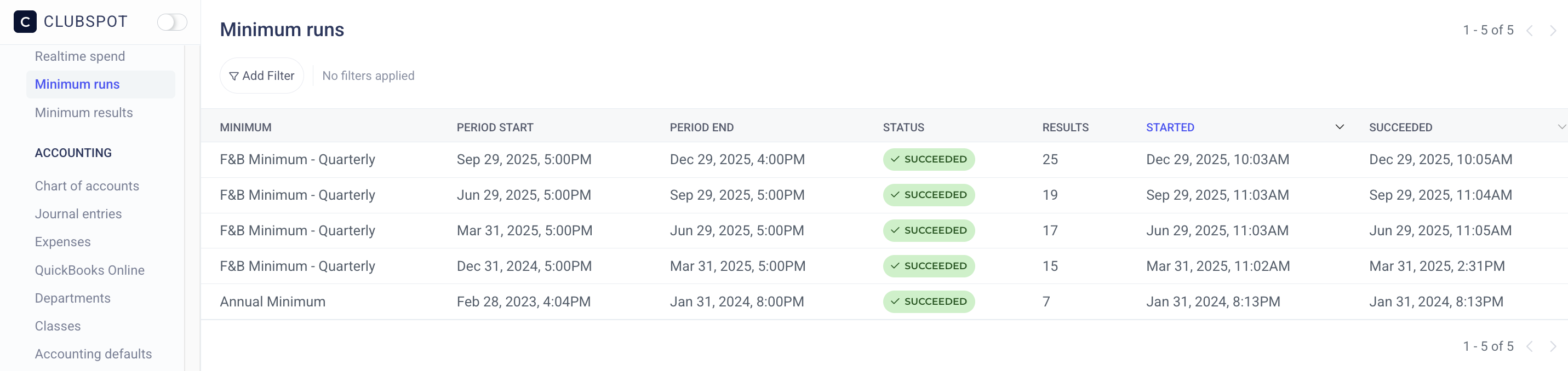
The Minimum Runs dashboard provides a list of the instances that a minimum period concluded, and the members with unspent minimums who were billed.
Minimum Results
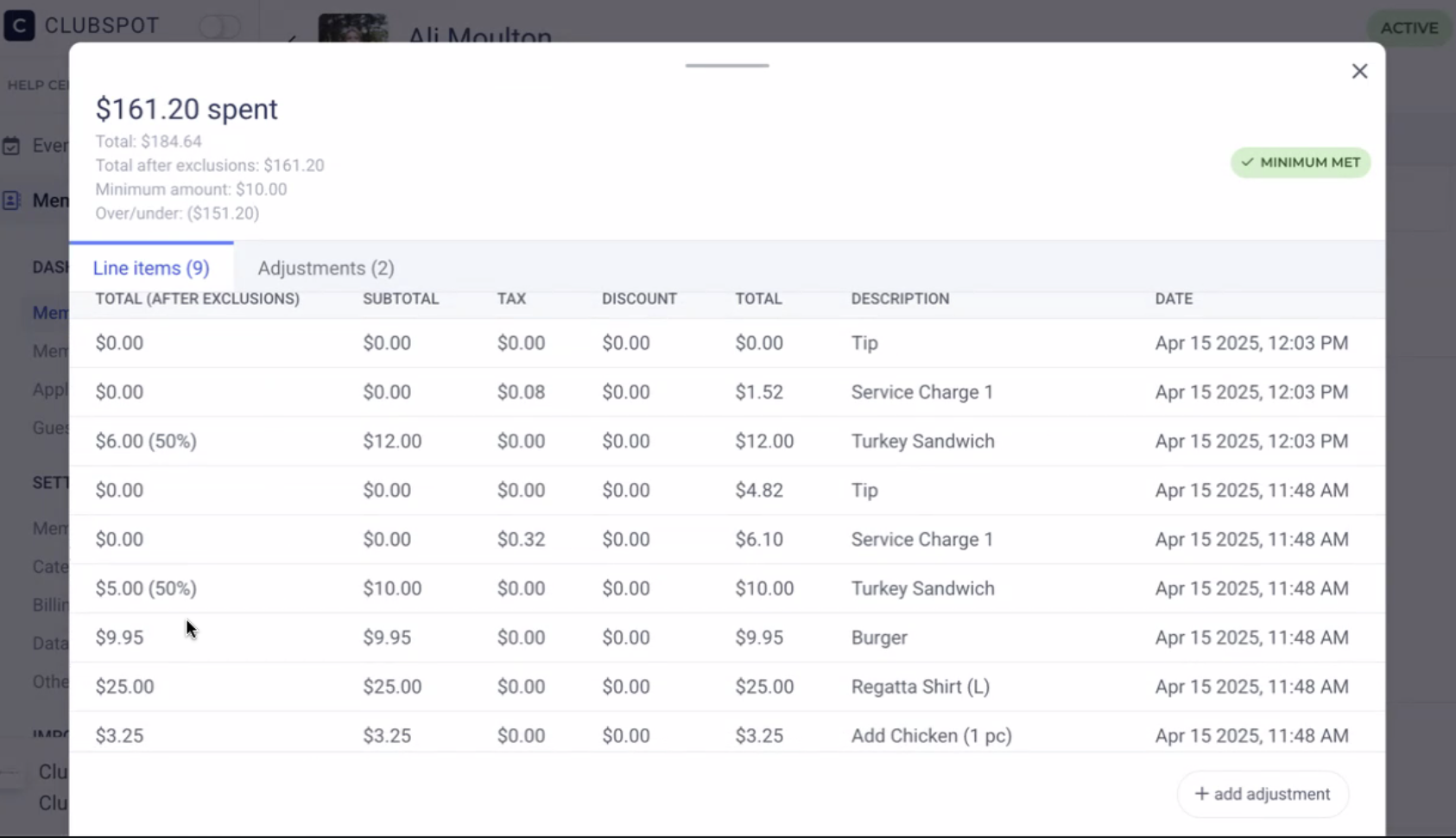
The Minimum Results page will show you the charges that have been applied as a result of a minimum run. This table can be filtered to show the results of a specific minimum run or by the billed/unbilled status. Clicking on the minimum result row allows you to see what items counted toward the minimum run. This should be a useful tool for answering questions from members about how their minimum was calculated.

Minimum Calculation
An admin can click on a membership > Billing > Minimum > to see the line items that are currently being included when calculating a minimum. If necessary, the admin can use a manual adjustment to modify the amount spent. This might be necessary in an ad-hoc situation where you wanted to make sure the member was not charged for minimum (ex. They hosted a private dinner that technically did not account for F&B spend, but you want to make sure they’re not being charged for unspent minimum).
Exempt Products from Minimum
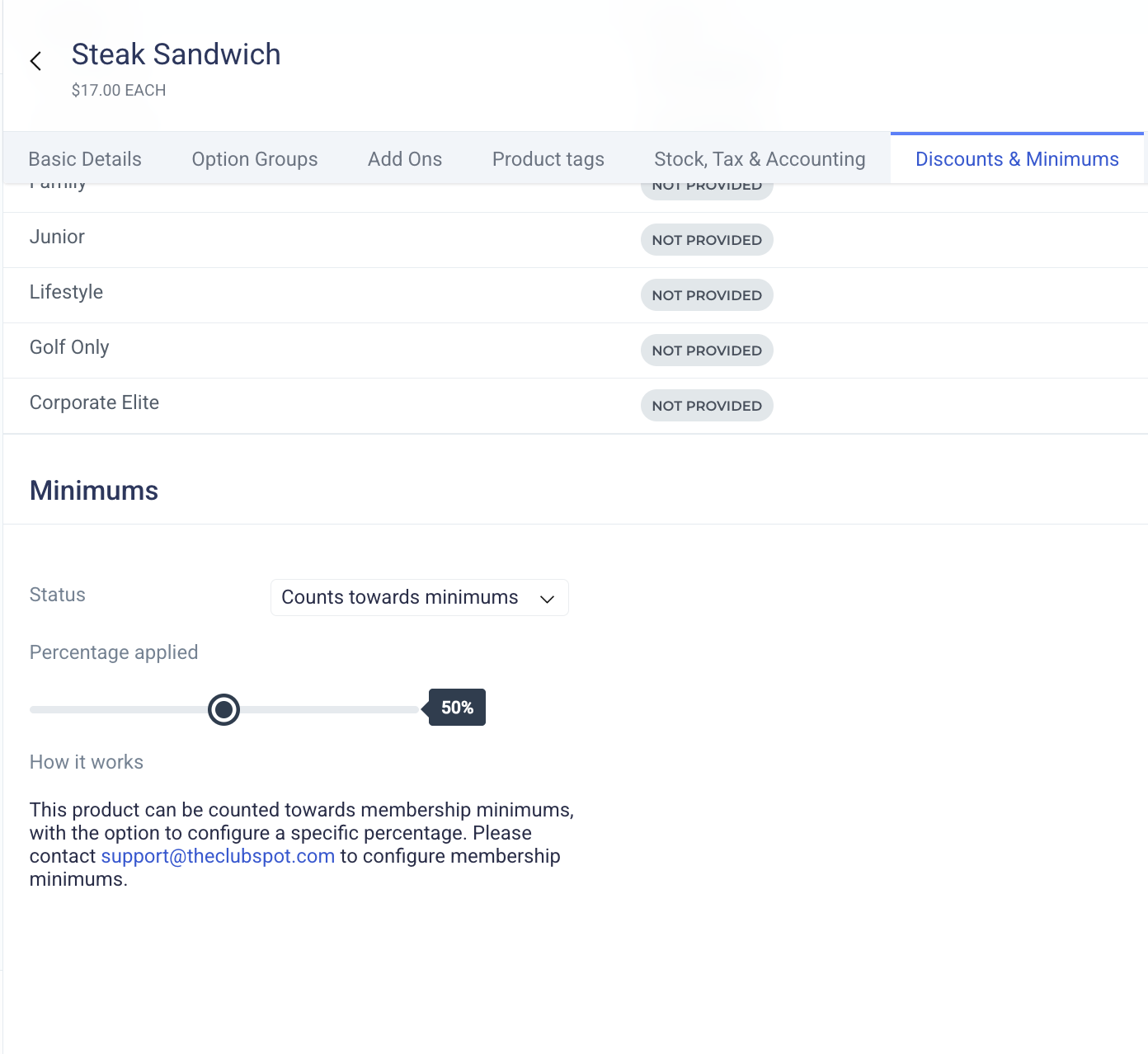
Under the Discounts & Minimums page of the Subtype (or of the Product), you’ll see a section dedicated to Minimums. Here, you can exempt a group of items (or a specific item) by changing it from ‘counts towards minimum’ to ‘excluded from minimum’. You can also change the percentage of the item applied toward the minimum using a sliding scale.
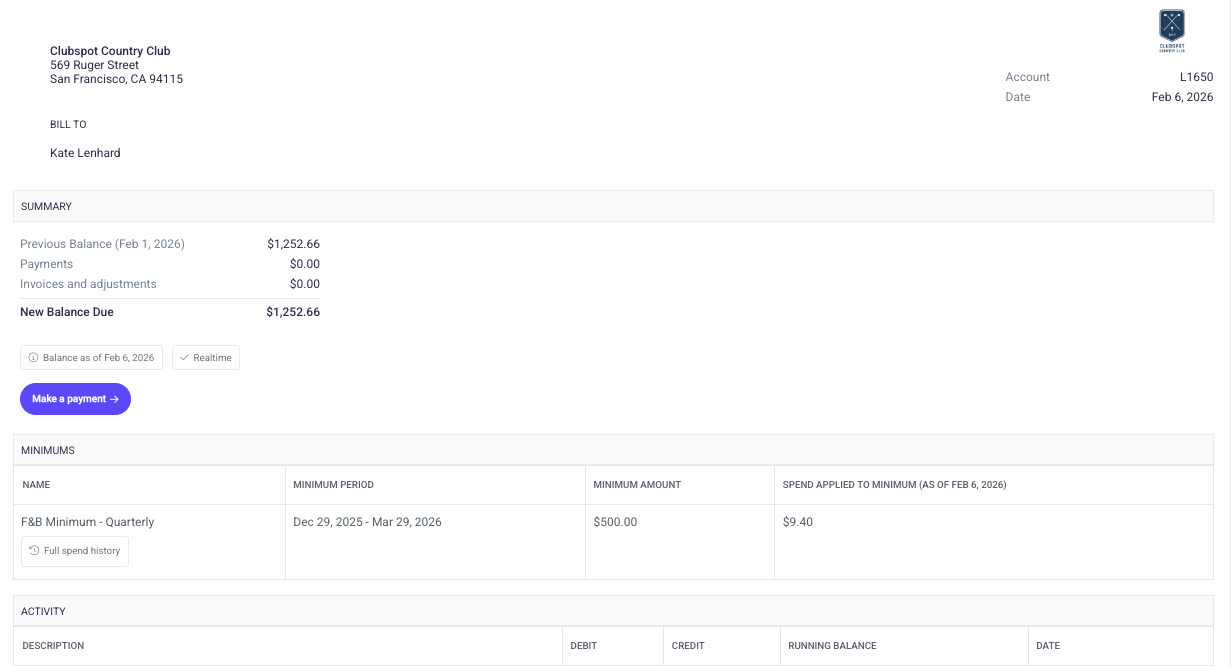
Share Minimum Status on Statement
While minimum spend is always visible in the member's portal, you may also elect to include it on their monthly statement for additional transparency. If so, please reach out to support@theclubspot.com so we can enable that option for you.